Showing posts with label More. Show all posts

Monday, February 3, 2014

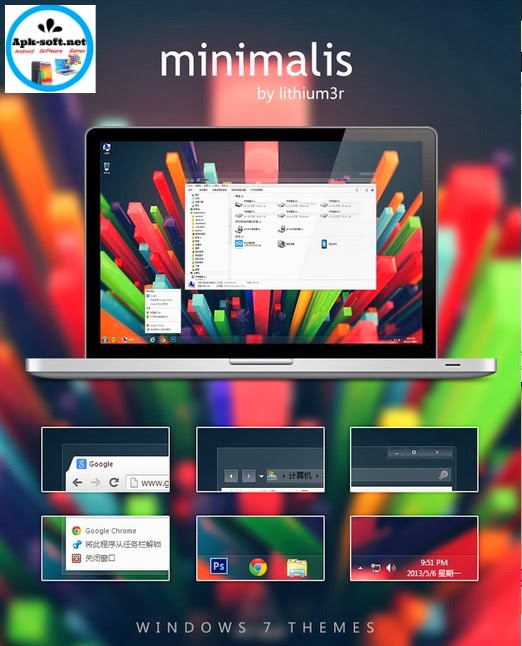
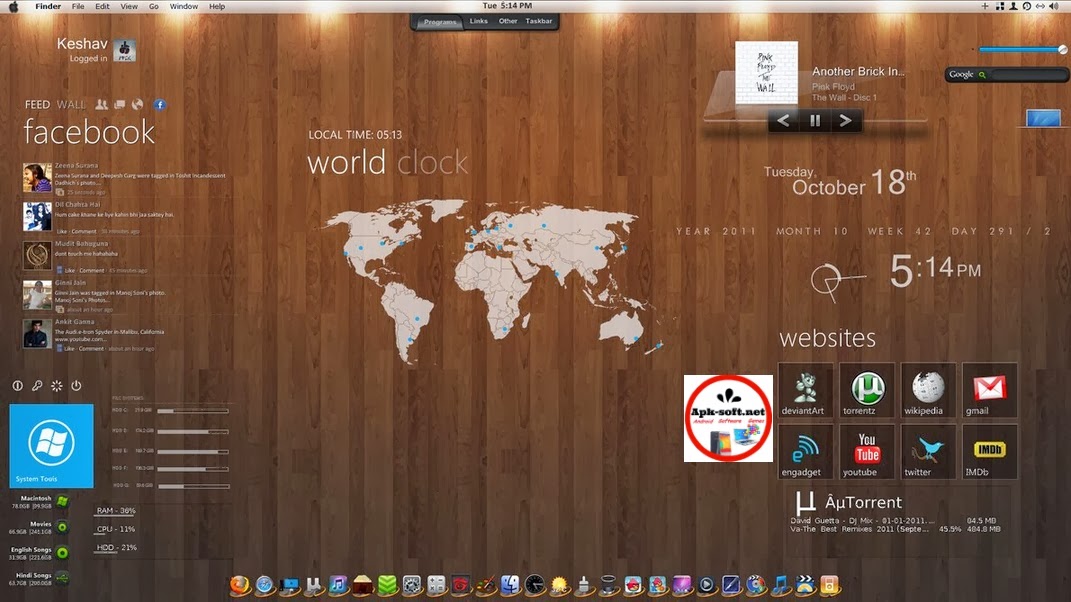
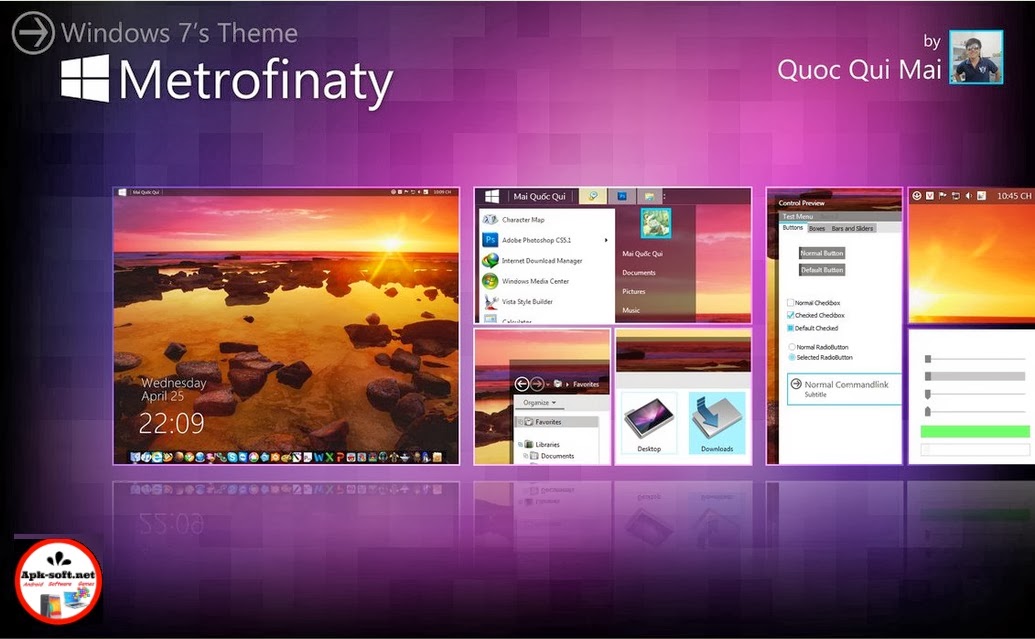
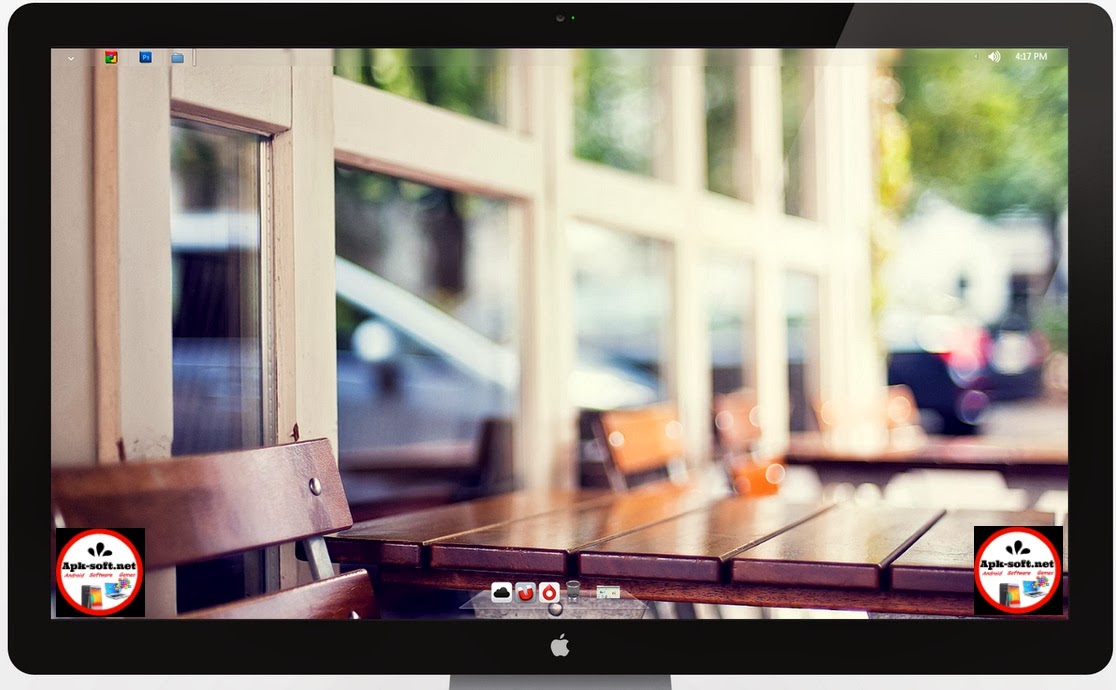
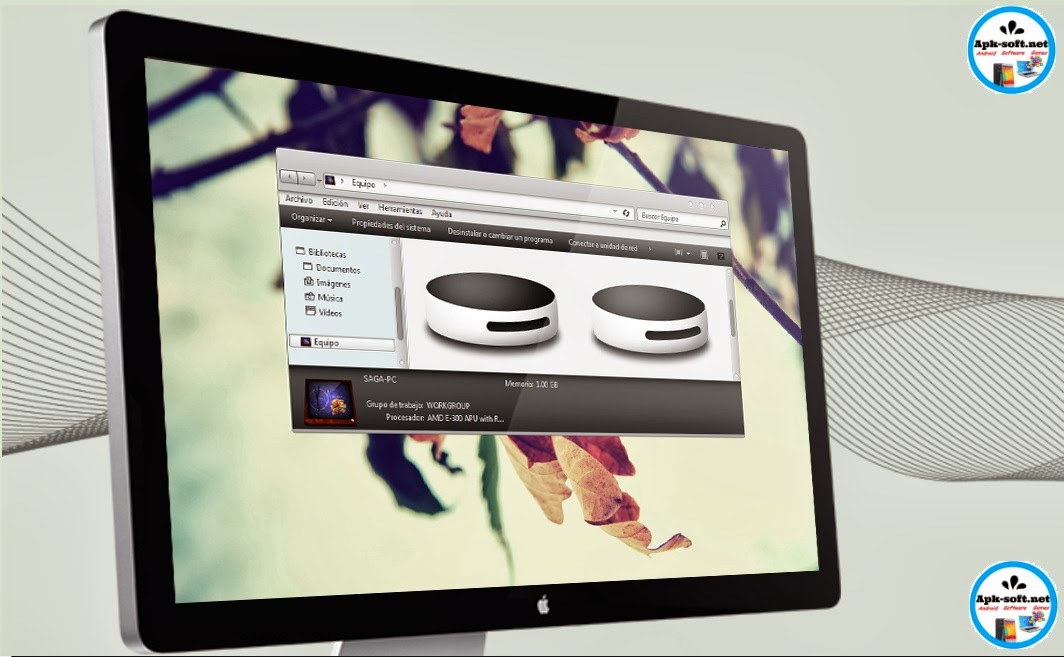
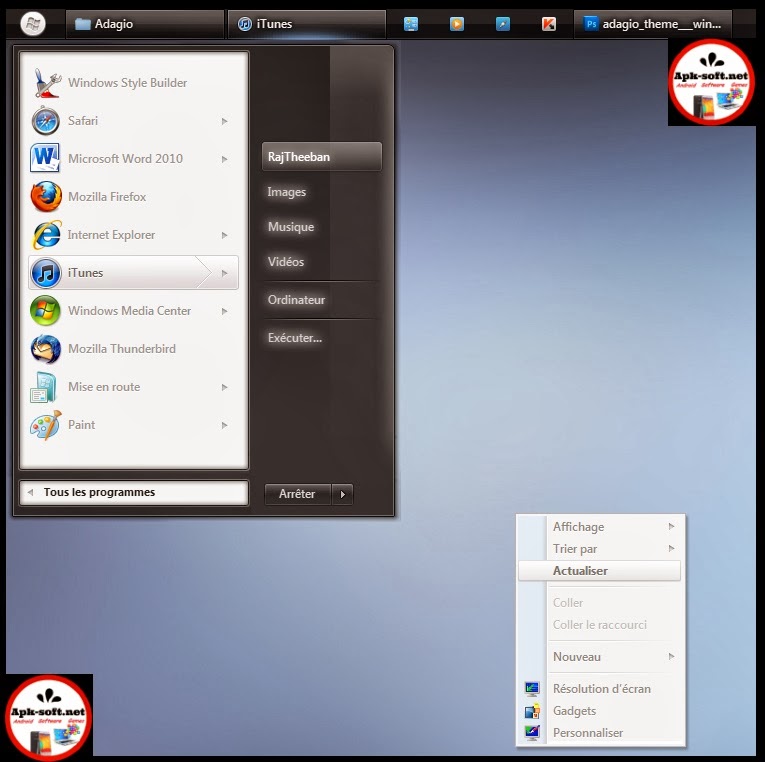
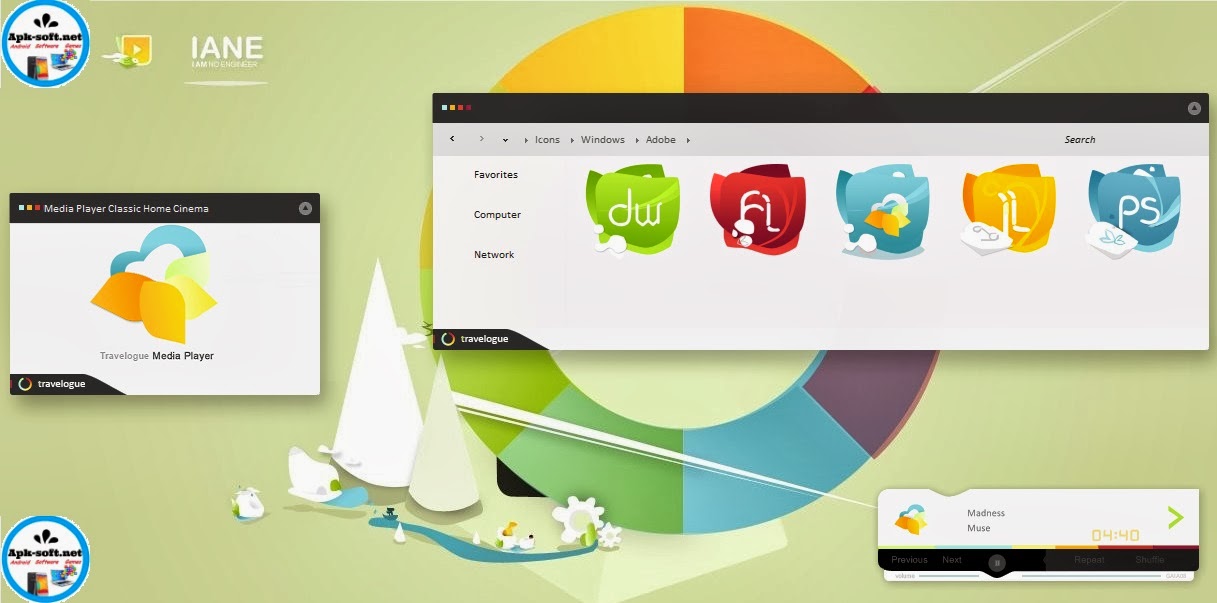
21 Best Windows 7 Themes Collection for your Desktop - February 2014

Get the latest and Top 21 themes for Windows 7

I myself still prefer to use windows 7 and for all of you who are still using windows 7, here is an collection of some of the best themes that i have collected for my personal use. These themes are in fact a great way to give your desktop a new look and the same time you retain the basic functionality of your OS. So go ahead and download these windows 7 these and give your windows 7 desktop a new look.

Note: The complete information and installation details regarding these themes can be found on the developers pages. Please read them carefully before you install these themes.

Win7 Themes 2014
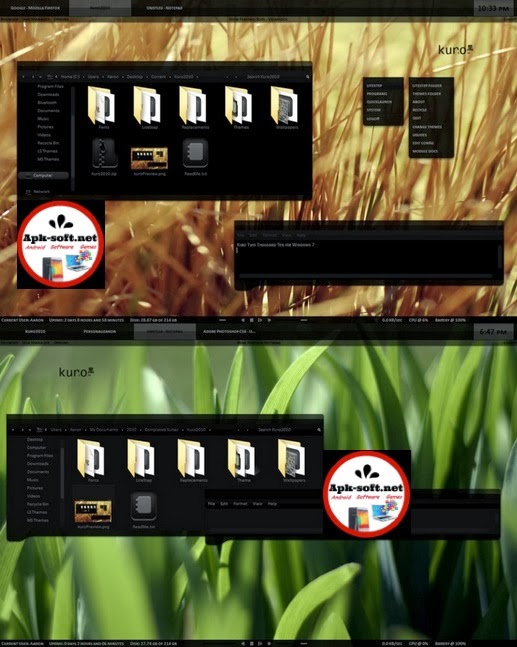
Kuro 2010 for Windows 7
Win7 Themes 2014


Tags :
-best pc app
-best clock
-best alarm apk
-nice them
-best theme
-top widget
-cool android apps,
-best apps for android
-top apps for android
-best weather app for android
Don't Forget to Follow Us on FaceBook
www.Fb.com/Apk.Software

Read More

Friday, January 31, 2014

Google launches tool that brings Chrome apps to Android and iOS

Chrome Apps have been available on Desktops for quite some time now and now these apps will be available on mobile phones as well.Google’s offline Chrome Apps are about to find their way to both 
Android and iOS.

 chrom ios android


Using Apache’s well-known open-source Cordova platform for turning web apps into native
apps.Google has released a developer preview of a tool based on Apache Cordova, an open-source mobile development framework for building native mobile apps. Developers can use this tool to wrap their Chrome apps into a native application shell that enables them to distribute it via Google Play and Apple App Store.


Developers can build their apps on standard web tools such as HTML, JavaScript and CSS. Google is already making wide variety of API’s (Application Programming Interface) available for developers. The tool will also support payments and rich notifications on Android. Developers will also have additional API’s available through Cordova itself.

How to?

  1-  First, developers will need to install Node.js version 0.10.0 or higher and a number of required development tools to get started.
  2-  After the app is built, they can run the app on a device or an emulator using the command line or an IDE. In case developers want to run the app on an Android device without the need to install the SDK or IDE, they use the Chrome Apps Developer.

Google is making a wide variety of Chrome APIs available for these apps, including ways to authenticate users using OAuth2, push messaging, storage and alarms. On Android, the toolchain also supports payments and rich notifications. In addition, developers also get access to the full range of APIs available through Cordova itself, which includes a wide range of services for every popular mobile platform.
For web developers, Google says, this new toolchain will give them an easy workflow “for extending the reach of Chrome Apps to users on mobile platforms.”
Read More

Tuesday, January 28, 2014

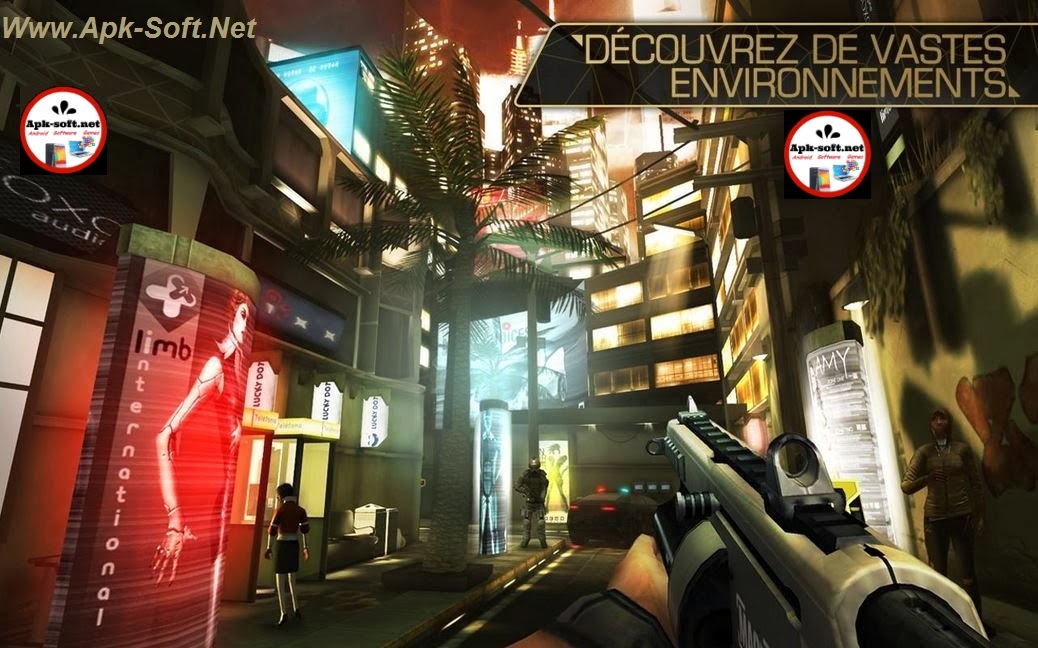
Deus Ex: The Fall Android Game

If you like the biggest games for your android Deus Ex: The Fall for you

 Winner of seven awards for "Best mobile game / iOS " at E3 2013
" Deus Ex: The Fall is a must . No player on iOS should not miss . "
Slide to Play
best game


Deus Ex: The Fall

" It is amazing to see how The Fall manages to capture the spirit and feel of the Game Deus Ex on mobile devices . "
IGN

"The control system The Fall is probably the best I've ever seen on this platform . "
Touch Arcade

"Sorry for PC gamers and consoles, but for mobile Deus Ex is simply excellent. "
Kotaku

NOTE : before playing Deus Ex: The Fall , we recommend closing other applications to enhance the gaming experience

Deus Ex: The Fall is the beginning of a new journey in the series of successful games Deus Ex It begins in 2027 , the golden age of science , technology and human augmentation. Ben Saxon , a British mercenary increased , former SAS seeks to uncover the truth about a global conspiracy that puts his life at risk.

ACTION GAME WORN BY -RPG HISTORY
• Fight to survive the heart of an international conspiracy
• Every action has its consequences
• The quest for truth will lead you to the mafia den Moscow slums of Panama
• Hours of gameplay and several ways to play

GAME HIGH DEFINITION
• Music , sound and stunning graphics
• Intuitive touchscreen controls on
• Action and fighting dynamic
• Immersive History
• Beautiful scenery fully explorable

EXPERIENCE TRUE DEUS EX
• Play as you want : frontal action or stealth
• Social skills and piracy
• Original story in the Deus Ex universe
• unique artistic design
• Size 800 MB
source

Read More

Friday, January 17, 2014

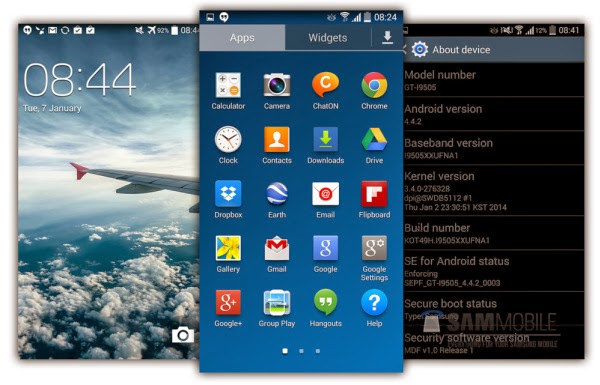
New Version Android Kitkat 4.4.2

http://www.apk-soft.net/2014/01/Kitkat-4.4.2.html

We are expecting Samsung to start officially rolling out the Android 4.4 KitKat update for the Galaxy S4 in February/March. We have been testing this particular build for about 5 days now and so far it’s been pretty stable, except a few minor hiccups here and there but these are expected as this is still a test build.


There are minor UI changes in Android 4.4.2 KitKat, the most noticeable being the status bar icons being changed from Gingerbread style green to all new awesome KitKat style white. BTW, white icons look stunning on top of the transparent status bar. We have seen a little bump is performance, and benchmark scores have slightly increased as well. Samsung’s keyboard layout has been improved in landscape orientation, which makes typing much easier and gesture typing works really well too. Samsung has implemented a camera shortcut direct on its lockscreen.

http://www.apk-soft.net/2014/01/Kitkat-4.4.2.html


Model: GT-I9505
Country: Open Europe
Version: Android 4.4.2
Changelist: 276328
Build date: Thu, 2 Jan 2014 23:30:51 +0000
Product Code: OXA
PDA: I9505XXUFNA1
CSC: I9505OXAFNA1
MODEM: I9505XXUFNA1
Download: I9505XXUFNA1_I9505OXAFNA1_I9505XXUFNA1_OXA.zip  1.5GB

NOTE
- You are doing this at your OWN risk. We are not responsible if you brick your device or your cat eats your phone.
- This test firmware will NOT increase your binary counter NOR void your warranty.
- This test firmware is a pre-release build and not official from Samsung.

ScreenShoot

http://www.apk-soft.net/2014/01/Kitkat-4.4.2.html
INSTRUCTIONS
- Extract (unzip) the firmware file
- Download Odin3 v3.09 Here
- Extract Odin .ZIP file
- Open Odin3 v3.09
- Restart phone in download mode (Press and hold Home + Power + Volume down buttons)
- Connect phone and wait until you get a blue sign in Odin
- Add I9505XXUFNA1_I9505OXAFNA1_I9505XXUFNA1_HOME.tar.md5 to AP
- Make sure re-partition is NOT ticked
- Click start button, sit back and wait a few minutes.
- If you encounter any issues with the firmware (Any FC, Bootloop etc)
- Boot into recovery mode (Home+power+vol up)
- Choose to wipe/factory reset. (THIS WILL ERASE ALL OF YOUR DATA INCLUDING YOUR INTERNAL SD CARD!)
- Then choose reboot and you should be good to go!
source
Read More

Thursday, January 16, 2014

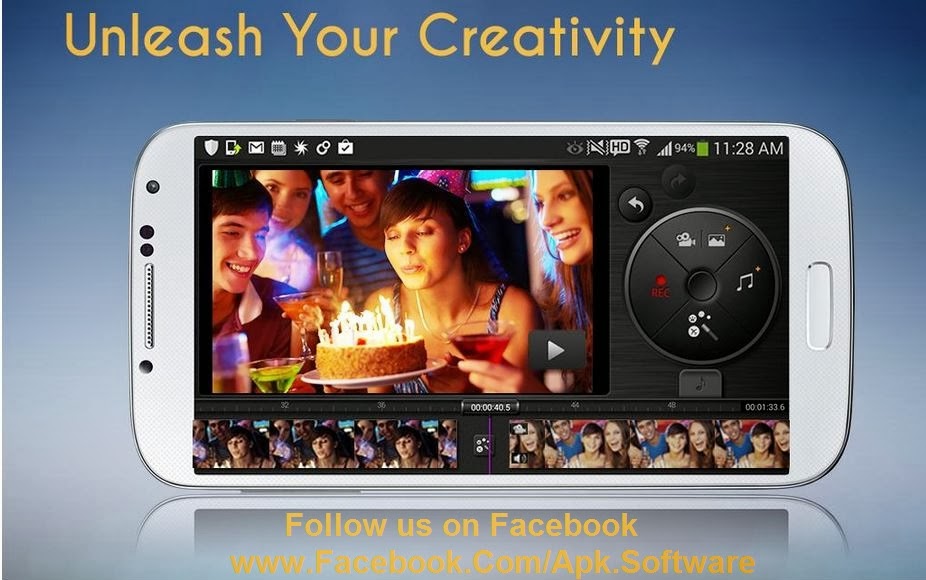
KineMaster (The First and only video Editor on Android )

http://www.apk-soft.net/2014/01/KinMaster-apk.html

http://www.apk-soft.net/2014/01/KinMaster-apk.html

http://www.apk-soft.net/2014/01/KinMaster-apk.html


★ Check whether KineMaster supports your device before purchasing. (Available for Samsung Galaxy S3 / S4 / Note 2 / Note 3, LG Optimus G / Optimus G / G2, Sharp SH-01F, Nexus 4 / Nexus 5) ★
★ To use KineMaster , Samsung Galaxy Note 3 users should update their device firmware to the latest version.(Settings > General > About device > Software update > Run the update menu.)

The best choice for mobile video editing

KineMaster is the first and only video editor on Android to surpass the features offered in iMovie on iOS.
With KineMaster’s diverse themes, make professional quality movies from any videos, images, and music directly on your phone with a flick of your finger.
Edit and share video directly to Facebook and other social networks at any desired resolution up to Full HD (1080p) in a snap!
The mobile video editor you’ve been waiting for is finally available on Android – try it out today!


Features

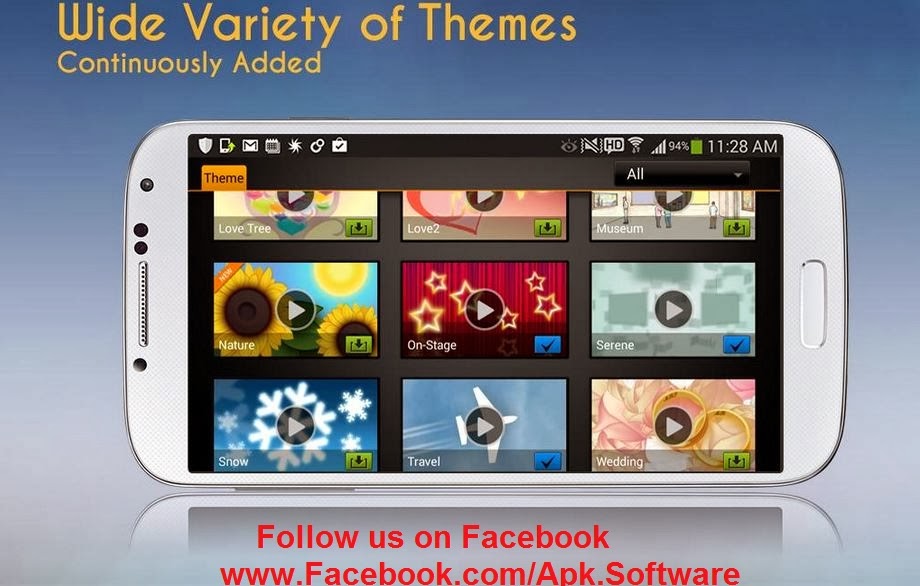
★ A variety of easy-to-use Themes
* A selected Theme’s music and visual effects can be applied automatically to the images and videos being edited to create a more complete package.

* Romance, Travel, Nature, and Wedding Themes are provided.

* Additional Themes (selection continuously expanding) can be easily downloaded


★ Use of multiple media sources supported
* Video, images, music, text and even instantly recorded video and audio can all easily be added.

* During editing video, use audio tracks at a time in addition to the audio track built in with each theme.

★ All editing interfaces provided
* Adjust the length of the timeline or a clip’s color/saturation/brightness/volume and delete or rearrange media clips

* Add eye-catching visual effects: Use transition effects such as 3D transition and PIP (Picture in Picture), rotate a video, or pan and zoom in an image

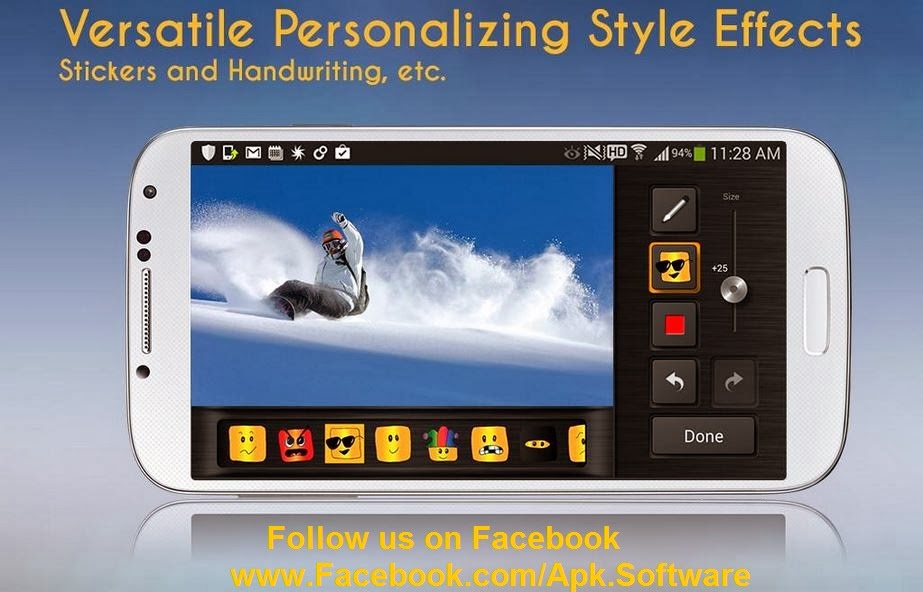
* Handwriting, stickers, and changing the font style are other ways to individualize a project.

* The project in progress will continuously be saved automatically and can be re-edited at any time.


★ Export and share on SNS
* Exporting in resolutions up until 1080p (Full HD) is supported.

* Even lengthy videos can be exported in high-definition at high speed

* Easy SNS sharing as well as direct uploading to Cloud is supported.


Supported Devices* Available for Samsung Galaxy S3 / S4 / Note 2 / Note 3, LG Optimus G / Optimus G P-r-o / G2, Sharp SH-01F, Nexus 4 / Nexus 5 (Continuously added)


Supported OS
* Android 4.1 (Jelly Bean) and above; 4.4 (KitKat) is also supported.


Range of Supported Resolutions
* Devices where resolutions up to 1080p are supported: Samsung Galaxy S4 LTE-A, LG Optimus G / Optimus G / G2, Sharp SH-01F, Nexus 5
* Devices where resolutions up to 720p are supported: Samsung Galaxy S3 / S4 LTE / Note 2 / Note 3, Nexus 4


Supported Formats
* Video formats: MP4 (H.264 Baseline/Main/High Profile + AAC LC), 3GP (H.264 Baseline/Main/High Profile + AAC LC)
* Audio formats: MP3, M4A, AAC
* Image formats: JPG, PNG
* Real-time video and audio recording

Source Google Play

Read More

Monday, January 13, 2014

Duolingo - Learn Languages Free for android

http://www.apk-soft.net/2014/01/learn-english.html

http://www.apk-soft.net/2014/01/learn-english.html


Learn Spanish, French, German, Portuguese, Italian, and English. Totally fun and 100% free.
• “Among apps for learning or practicing a language, you can’t beat Duolingo.” —PC Magazine. Awarded Editors’ Choice for Language Learning.
• “Far and away the best free language-learning app.” —The Wall Street Journal
• “We’ve also tried a few other methods such as book learning and Rosetta Stone, both of which bombed. That’s why I jumped at the chance to try Duolingo. And believe me, it’s addictive.” FluentIn3Months
Duolingo is changing the way people learn languages.

• It’s free, for real. No fees, no ads, no gimmicks. A college-quality education without the price tag.
• It’s fun. Lose hearts for answering incorrectly, advance by completing bite-sized lessons, and track your progress with shiny achievements.
• It’s constantly improving. We bust out the lab coats regularly and measure how well you learn on Duolingo. Your learning experience only gets better over time.
If you want to learn Spanish, French, German, Portuguese, Italian, or English, the fast, fun, and free way, there’s no better choice than Duolingo.

Size : 4.9M
Current Version : 2.1.1
Requires Android : 2.2 and up
source
Read More

Drag Racing 3D Games For Android 2014


http://www.apk-soft.net/2014/01/racing-3D.html


Dynamic races 1/4 mile and 1/2
- More than 20 of these cars: urban saloon cars to professional sport
- A large number of combinations of car improvements
- Ability to paint the car and rims any color

- Details of each race and progress in the game Statistics
- Career mode allows you to go all the way riders - from beginners to professionals
- Quick race mode allows you to select a single opponent for each race
- Maintain records of the system can achieve better results of each race
- The game is fully translated to English and Russian languages

In the settings, you can select the desired level of graphics, which increases the performance of your device.
source


How to Download

http://www.apk-soft.net/2014/01/racing-3D.html
Read More

Saturday, January 11, 2014

Slidebar Lite For Android

www.apk-soft.net/2014/01/slidebar-apk.html

Sidebar Lite – A brilliant new way to multitask on Android
“Minimalistic, non-intrusive, and very functional” – XDA Developer TV
“The greatest discovery you will make” – Android Authority
It’s fast, functional, fluid, and customizable to your liking. Populate the sidebar with your favorite apps, and simply swipe in from the edge of the screen to gain instant access to the apps you use most. Simple – yet elegant.


Features
- Pin apps & toggles to the Sidebar (Limited to 8 total)
- Live running apps and running indicators (Pro)
- Task management allows killing running apps (swipe running apps out to kill them) (Pro)
- Customized colors, opacity, sizes, and positions (Pro)
- Starts on boot
- Minimal RAM fingerprint and affect on battery life
- Ongoing notification can be disabled(4.1+) / made invisible (Pro)
- Many widgets to choose from (Home, App Drawer, Wi-Fi, Mobile Data, Bluetooth, GPS, Sound, Rotation, Brightness, Torch, Play/Pause/Skip music)
Sidebar Pro
Sidebar Pro lifts the limitations put on the lite version and opens access to new customizability as well as functionality – elevating sidebar, to its most impeccable and pure state.
Sidebar Pro offers the full set of features.
These include:
- Unlimited items!
- Right side swipe!
- Live Running apps!
- Live Running indicators!
- Task Management!
- Lock items!
- Custom icons!
- Full settings!
- Adjust width!
- Adjust opacity!
- Choose color scheme!
- Disable notification! (Hidden by default on rooted devices)
Development
Sidebar is in constant development. Development began as soon as the idea stemmed well before the debut of Ubuntu Phone and recent such apps. The developer ensures a smooth and polished experience. User experience & simplicity are key tp making Sidebar the perfect multitasking app for Android. Follow the development on XDA: http://forum.xda-developers.com/showthread.php?t=2152373
Awards
- Sidebar won Best Application at CodeDay Seattle hosted by StudentRND.
- Sidebar was showcased on the front page of XDA as well as on XDA TV
- Sidebar was also the best among Android Authority’s Top 7 Apps of the week
- Sidebar was reviewed by AddictiveTips
- Sidebar was reviewed by LifeHacker
- Sidebar won the showdown with a competitor on XDA TV!
The Notification
It prevents Android from killing Sidebar. Without it, sidebar could not run forever in the foreground and would eventually be closed.
Permissions
Camera: The torch widget requires full access to the camera in order to function.
Network: The toggles for Wi-Fi and Mobile Network require network permissions

Size : 3.2M
Current Version : 4.4.0
Requires Android : 2.1 and up
source

Read More

Total Ram Android

www.apk-soft.net/2014/01/total-ram-android.html

Slow device? Can’t play high end games? RAM got eaten up fast?
This is the app for you. Give your device the lighting speed in one tap!
A must have tool for all Android users. Just try it and feel the difference in speed. It’s FREE!
How Total RAM Booster lets you play your games and use important apps with lightning speed:

The intelligently designed booster engine will keep eye on RAM used by apps that are on background, and freezes/kills the background tasks which will end up in giving the “forefront” app a big RAM usability share [i.e the top most displayed app/game will get more RAM share and resources]. Thus when playing high end games, if you feel that your device is slow or lagging, just minimize the app/game and boost your RAM using TRB or just use TRB widget for that lightning speed gaming experience.

Total RAM Booster is not just another task killer. It has a newly developed innovative RAM optimization technique named “Reduced Wake Up Optimization”. It scans and find the most “waking up” apps and freezes/kills* them without root/super-user permission for a better RAM Boost.Total RAM Booster gives you lot of dedicated RAM share for gaming. A must have for all devices.
First RAM booster to boost when RAM is 70%, 80% or 90% used.
Similar Apps: Total Defrag, Defrag+, Memory Optimizer etc

Features:
. 1 Tap RAM Booster. Game Booster.
. Home screen Booster Widget.
. Automatically Boost RAM. [PRO] . Boost when RAM is 70%, 80% or 90% used.
. Boost in time periods (5 mins, 15 mins, 30 mins, 1 hr, 2 hrs, 3 hrs, 6 hrs, 12 hrs, 18 hrs, 1 day, 2 days)
. CPU usage analysis and graph.
. Clean while boosting.
. Full Memory stats.
. Fine, Normal, Strong and Extreme boosts.
. Notifications of boost.

Just download and see the difference of speed in one tap.
*Freezes for rooted device (need root permission. Wait for next update), kills/restart for non rooted device (current version).
Android sets control over maximum RAM that can be used by all process from a single package. So TRB cannot provide more RAM share for other apps than this permissible limit.
An Alien IOVA initiative.

Size : 411k
Current Version : 1.11
Requires Android : 2.0 and up
source

Read More

Old Photo application for android

www.apk-soft.net/2014/01/Old-Photo-apps.html

Old Photo is an easy and fun app to make your photos look old.
You can transform your photos with one simple click, change its saturation, film color, save in your phone or share them with your friends
Just have a look at the amazing screenshots!
Old photo save in: sdcard\old photo.

Size : 1.5M
Current Version : 1.22
Requires Android : 1.6 and up
source

Read More

Thursday, January 9, 2014

Galaxy S5 new in january 2014

www.apk-soft.net/2014/01/galaxy-s5.html

There have been more than enough rumors around the Galaxy S5 already, and perhaps an equal number of reports have also surfaced dispelling all those rumors (not to mention dampening our hopes), but what kind of rumor mill would it be if it stopped already. Despite the claims that Samsung will play it safe with the upcoming and highlight-anticipated Galaxy S5, a new report from iNews24 makes it seem that the Korean manufacturer might actually be looking to toss in a few fresh ideas for its latest flagship Android smartphone when it gets launched in March (reportedly).

The claim from iNews24 comes attributed to Samsung’s Vice President and Head of Design Strategy Dong-hoon Chang, who let people in on some of the secrets pertaining to the elusive new device at a New Year’s party in Seoul, Korea.

According to the latest rumor, Samsung might let go of the infamous plastic body in favor of a more robust and good looking metal and flexible plastic combo. Chang also claimed that the official announcement of Galaxy S5 might come at Mobile World Congress 2014 in Barcelona next month, which would make sense, seeing as how MWC is considered one of the most important events in the world of mobile technology. That would also make sense from the perspective of device’s actual availability, which has all been but confirmed for March this year.

There is, of course, an absolute possibility that Chang’s references did not really pertain to Galaxy S5, but rather, an entirely different device, say, the Galaxy F (which itself is nothing more than a rumor as of now). Either way, whether it’s the Galaxy S5 that was being discussed or something else, the news of new materials is definitely exciting.

www.apk-soft.net/2014/01/galaxy-s5.html
As of now, there are a lot of rumors surrounding the next Android flagship from the Korean manufacturer, and if we were to club them all together, Galaxy S5 is going to be one hell of a device. Rumors will continue to pile up for sure, and it is a fact that we won’t know anything for sure until an official announcement comes out. However, that doesn’t mean that these rumors won’t keep us charged.
source
Read More

Wednesday, January 8, 2014

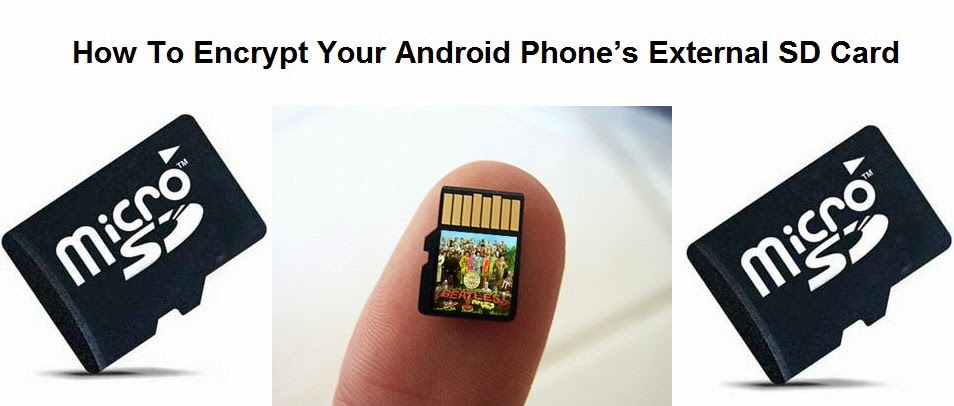
How To Encrypt Your Android Phone’s External SD Card

www.apk-soft.net/2014/01/Encrypt-Your-SD-Card.html

Most of us have important paperwork’s and other private data that we need to keep private. As we keep transitioning from Desktops to Smartphones, our private data are now more vulnerable than before. The reason being Smartphones are portable and it makes them easy target for thieves.
We don’t want that to happen with your devices, and neither we are the ones who can control it. Also many a times we are responsible for losing our smartphones due to our irresponsibleness.

So you must be always be prepared beforehand. Nobody knows when or how your smartphones can be lost or stolen, but with Android you do have the ability to encrypt your phone’s External SD Card. Which will render your phones SD card useless once your phone is lost.This is what usually happens when your phone gets lost or stolen.

Usually we have our phone secured with a lock pattern or code. In case somebody finds your lost android phone, they might not be able to access your cell phone’s content because of the security lock, but they can take out your external SD card and access its content on a PC. This is a main reason why you need to encrypt your Phone’s external SD card if you have important or private data on it.

Once your phone’s External SD card is encrypted, it will then be highly impossible for anyone to read its content on any other device except your Android phone. To be frank you can even encrypt your whole Android phone, but the reason why i won’t advise for that is, Encrypting your android phone will make it slower. Here is how you can encrypt your Android phone’s External SD Card.
How To Encrypt your Android Phone’s External SD Card

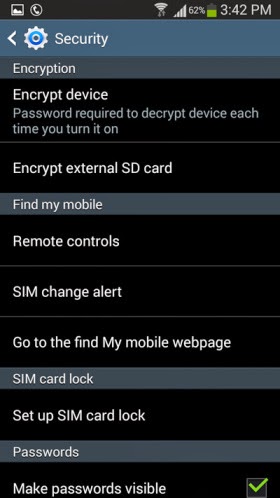
    Step 1: Open the Settings on your Android phone and navigate to the Security section. ( This might differ on different handsets )
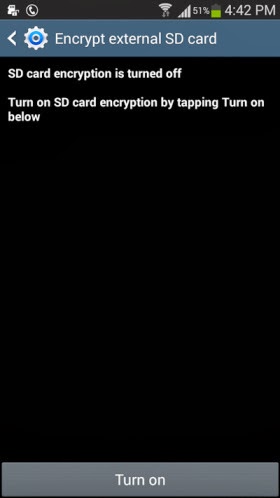
    Step 2: Tap on Encrypt external SD card to start the process for encrypting your phone’s SD card.

www.apk-soft.net/2014/01/Encrypt-Your-SD-Card.html


Note: It is compulsory to select a password as the screen lock method if you want to enable encryption for the SD card. Unless you set the screen lock as a password, your phone will not allow you to encrypt the external SD card.

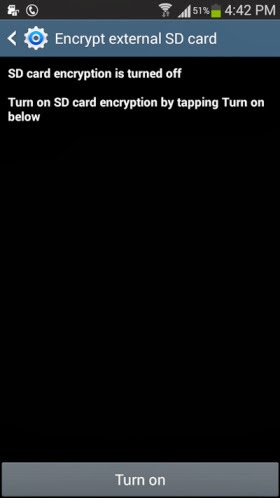
    Step 3: Once you have set a 6 digit password as the screen lock, you can then see the following option appear. Tap on Turn on card to encrypt your phone’s external SD card

www.apk-soft.net/2014/01/Encrypt-Your-SD-Card.html

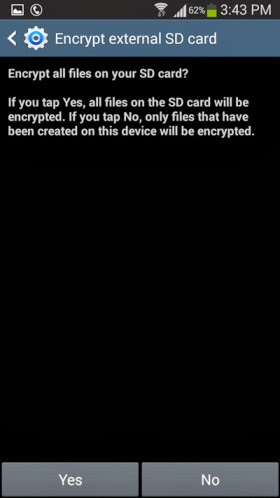
    Step 4: Tap on Yes on the next screen to encrypt all files on your phone’s external SD card.

www.apk-soft.net/2014/01/Encrypt-Your-SD-Card.html

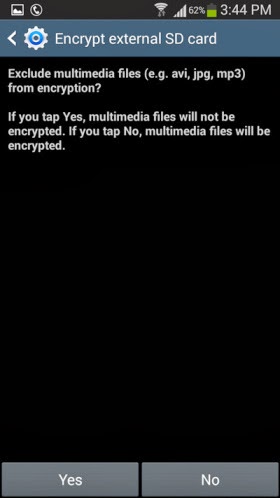
    Step 5: Next you will be prompted whether you want to encrypt all multimedia files. Tap on Yes or No according to your requirement. in case there are any multimedia files that needs to be encrypted on your phone’s SD card the tap on Yes.

www.apk-soft.net/2014/01/Encrypt-Your-SD-Card.html

www.apk-soft.net/2014/01/Encrypt-Your-SD-Card.html

    Step 6:
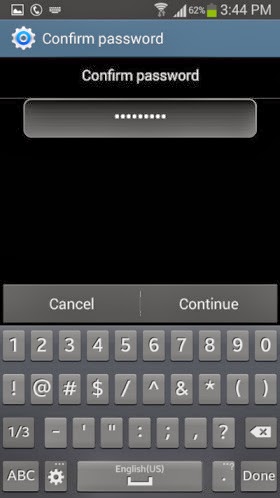
Next tap on Continue and enter the password when prompted.

www.apk-soft.net/2014/01/Encrypt-Your-SD-Card.html

www.apk-soft.net/2014/01/Encrypt-Your-SD-Card.html

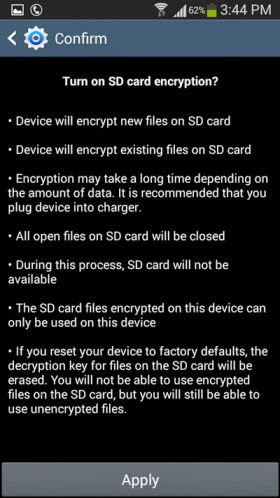
    Step 7: Finally you will need to tap on Apply to start the encryption process. Remember according to the SD card’s size, it might take a while for the encryption process to be completed. I tested this feature on a 4GB SD card which took around 20 minutes to encrypt.

www.apk-soft.net/2014/01/Encrypt-Your-SD-Card.html

You can expand the notification bar to see the progress of the encryption process. Once the SD card is encrypted you will see the following notification.

www.apk-soft.net/2014/01/Encrypt-Your-SD-Card.html 

That’s it and now the content on your SD card are completely protected. For any reasons if you want to decrypt the contents of the SD card then you can navigate to the Encryption settings on your android phone and tap on Turn off to decrypt the external SD card.
Read More