Showing posts with label computer. Show all posts

Monday, February 3, 2014

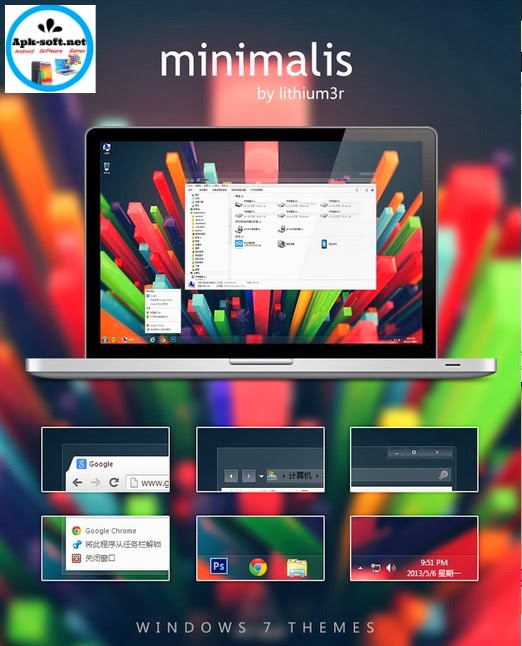
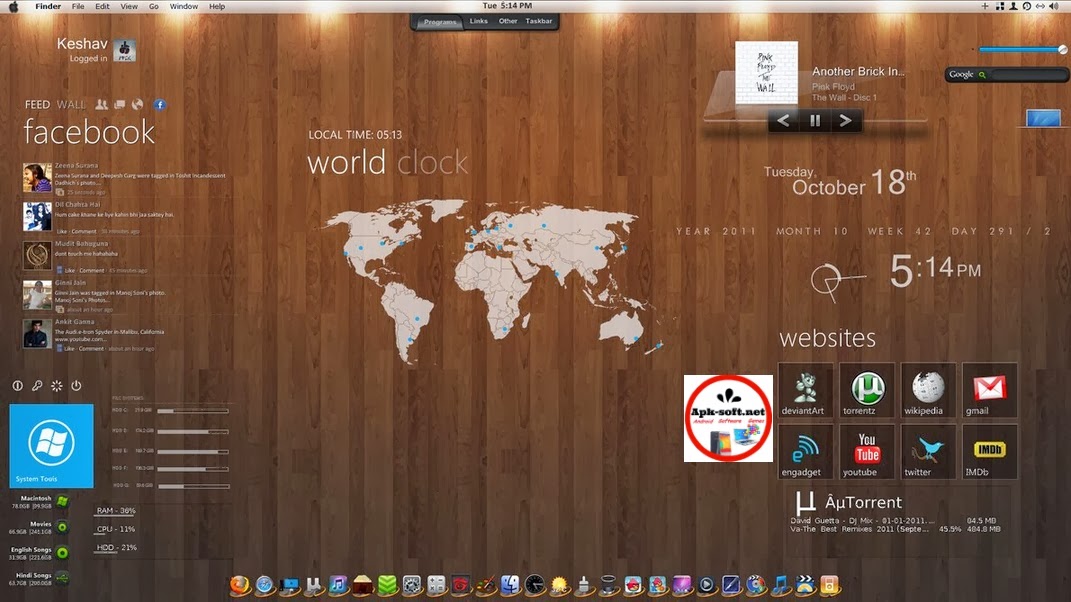
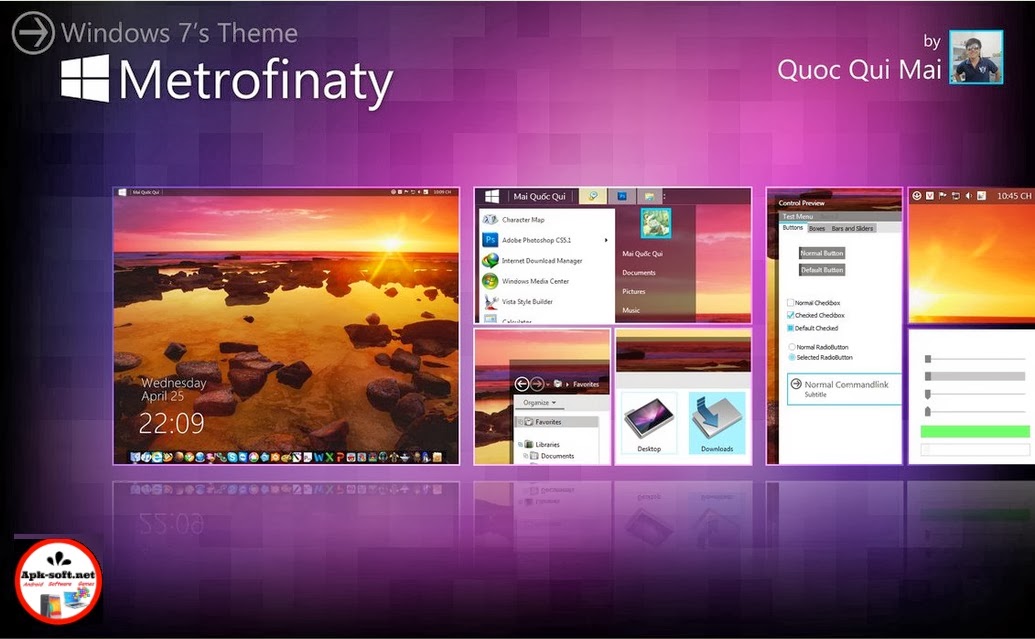
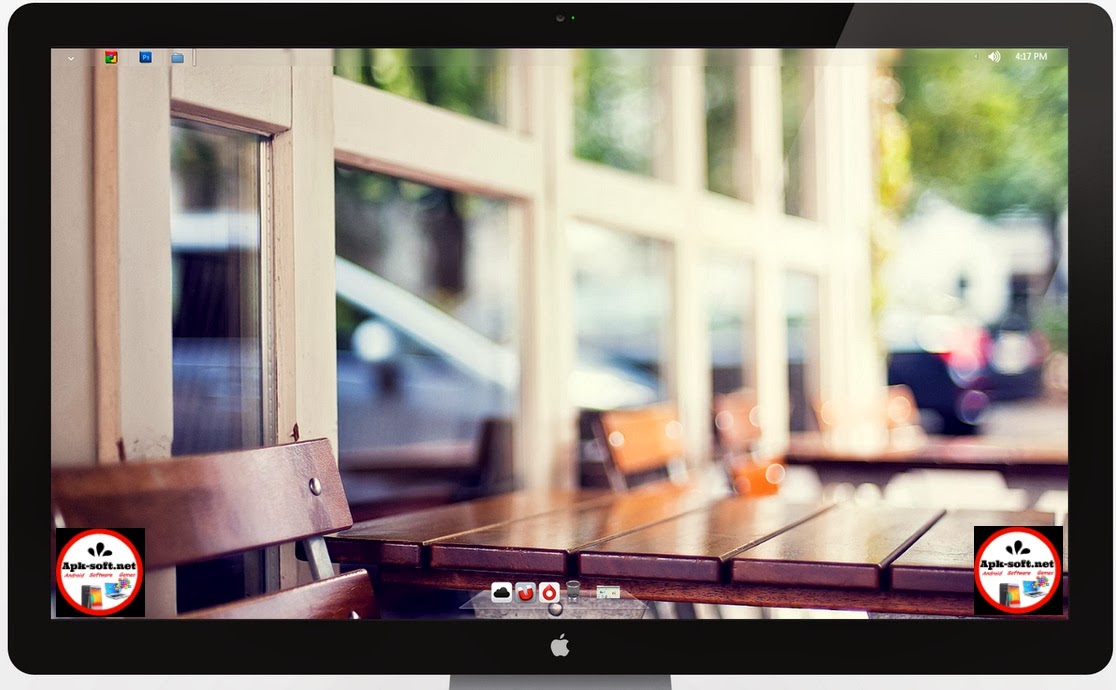
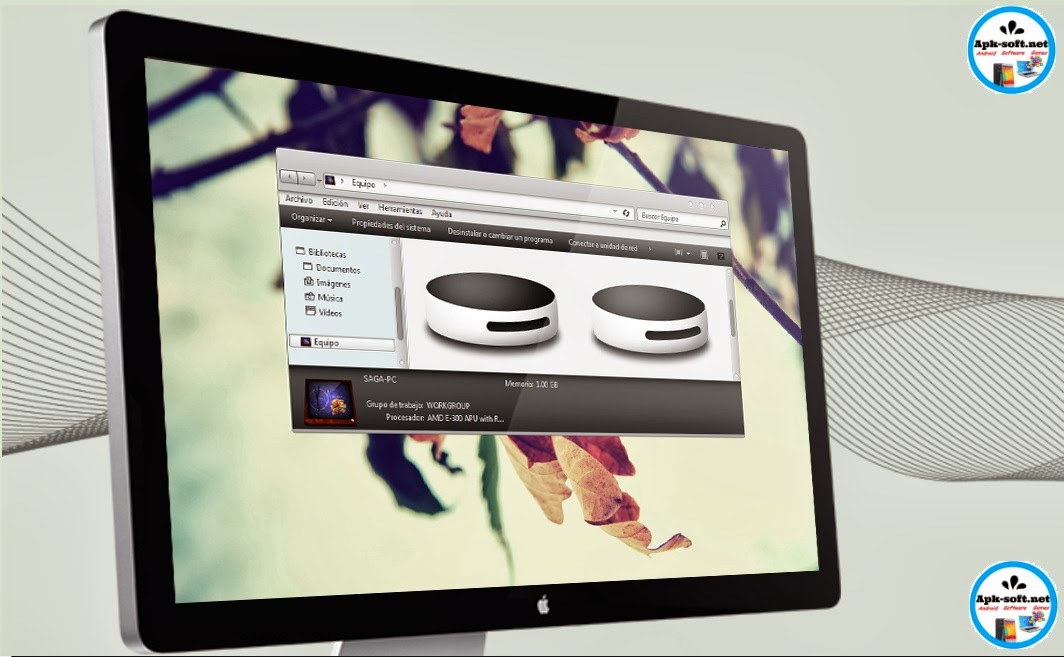
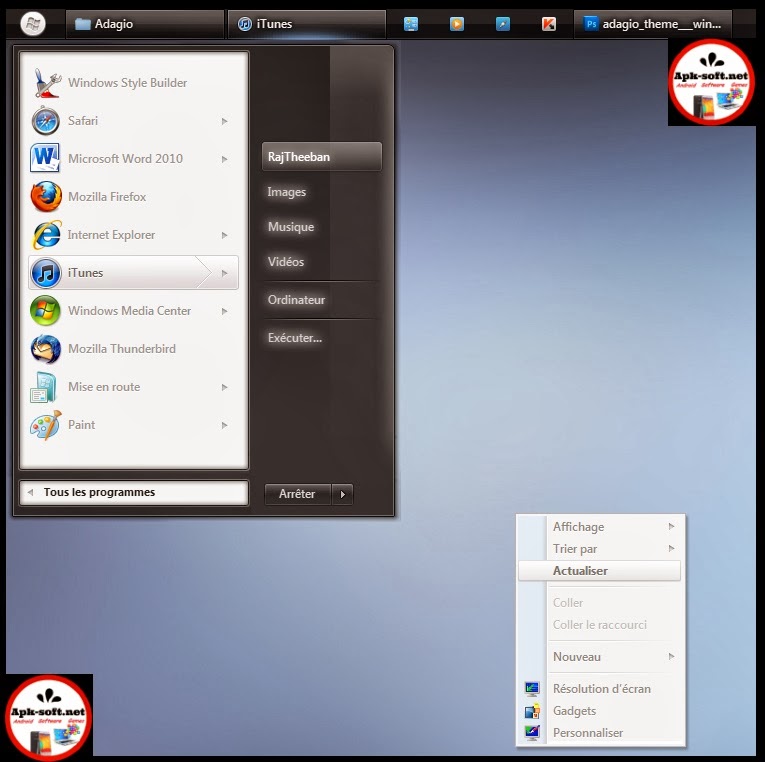
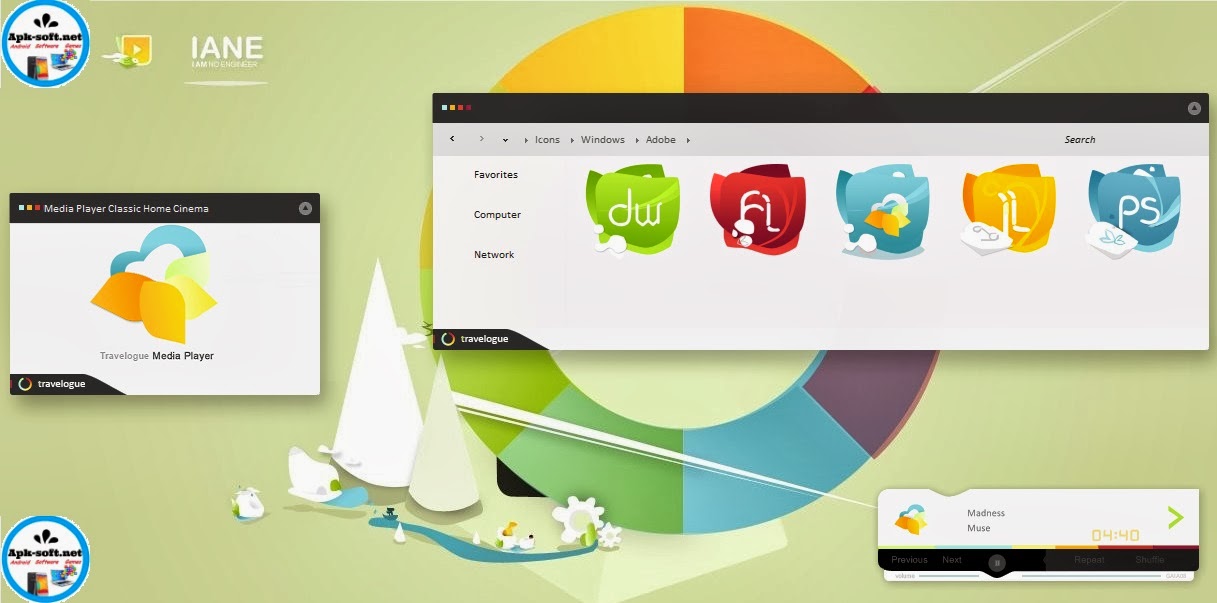
21 Best Windows 7 Themes Collection for your Desktop - February 2014

Get the latest and Top 21 themes for Windows 7

I myself still prefer to use windows 7 and for all of you who are still using windows 7, here is an collection of some of the best themes that i have collected for my personal use. These themes are in fact a great way to give your desktop a new look and the same time you retain the basic functionality of your OS. So go ahead and download these windows 7 these and give your windows 7 desktop a new look.

Note: The complete information and installation details regarding these themes can be found on the developers pages. Please read them carefully before you install these themes.

Win7 Themes 2014
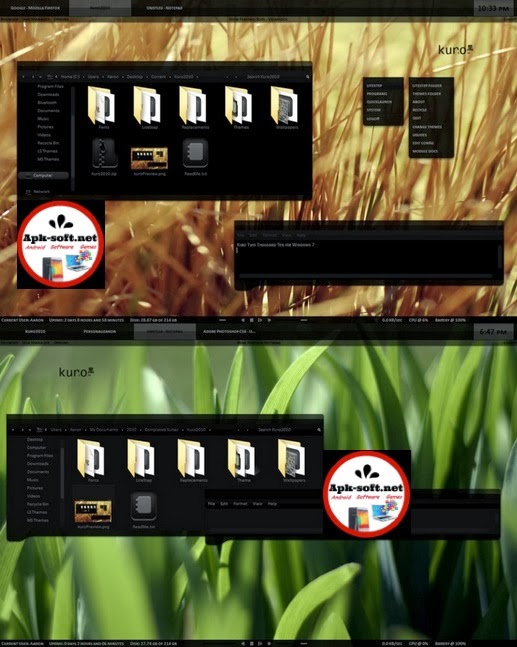
Kuro 2010 for Windows 7
Win7 Themes 2014


Tags :
-best pc app
-best clock
-best alarm apk
-nice them
-best theme
-top widget
-cool android apps,
-best apps for android
-top apps for android
-best weather app for android
Don't Forget to Follow Us on FaceBook
www.Fb.com/Apk.Software

Read More

Thursday, January 23, 2014

Download X Codec Pack 2.6.1

X Codec Pack 2.6.1

And... to enjoy your multimedia experience, instead of 3 or 4 different players you get one, simple integrated player that plays almost all audio and video files: MPC - Home Cinema. - See more at

X Codec Pack 2.6 includes: - AC3Filter 2.6b - AVI Splitter 1.7
- CDXA Reader 1.7
- CoreFlac Decoder 0.4 
- GPL MPEG-1/2 Decoder 0.1.2.0 
- LAV Filters 0.60.1 - madVR 0.86.11 
- Matroska Splitter 1.7 
- MediaTab 1.2 
- Media Player Classic 
– Home Cinema 1.7.1 
- RealMedia Splitter 1.6.8 
- RadLight MPC Filter 1.0.0.4 
- RadLight APE Filter 1.0.0.4 
- RadLight OFR Filter 1.0.0.4 
- RadLight TTA Filter 1.0.0.2 
- The Codec Detective 2.0 
- xy-VSFilter 3.0 Features of X Codec Pack: 
- clean & compact 
- no spyware / adware / viruses included 
- easy to install / uninstall 
- silent installation - easy to use 
- multilanguage support 
- Windows 8 support 
- support for 64 bits 
- 100% legal 
- 100% freeware! Important Note: 
- X Codec Pack project is supported by codecs.com Changes in X Codec Pack 2.6.1: 
- Fixed Unistaller issues 
- Fixed BSOD on some x86 systems 
- Fixed Start Menu shortcuts 
- Fixed problem with rigths required to install the pack 
- Updated files and filters - Rebranded to X Codec Pack 

Read More

Wednesday, January 22, 2014

IObit Uninstaller 2014


Download IObit Uninstaller
What does
IObit Uninstaller 3 do?

IObit Uninstaller 3 is a light and FREE uninstall tool that helps you to remove unwanted programs and leftovers completely without any hassle. It detects and categorizes all of the installed programs, and allows bulk uninstallation with just ONE click! The new app voting system helps you identify malicious apps & plug-ins. With "Powerful Scan" and "File Shredder" features, you'll never be bothered by leftovers or stubborn plug-ins anymore. IObit Uninstaller 3 is an easy-to-use and powerful uninstall tool!


Click on the picture to download

Read More

Sunday, January 19, 2014

Windows 7 Ultimate Sp1 En Fr January 2014

apk-soft
This assembly was made based on the original image of Windows 7 x64 , x86 . It contains integrated updates on January 14, 2013. Set Internet Explorer 11, added the driver Network, Everything else is left as in the original. Selecting the version being installed at the beginning of the installation.

Download


Read More

Tuesday, January 14, 2014

Download Adobe Reader XI 11.0.06


download a pdf viewer and Adobe Reader software is the global standard for electronic document sharing. It is the only PDF file viewer that can open and interact with all PDF documents.
Use Adobe Reader to view, search, digitally sign, verify, print, and collaborate on Adobe PDF files. Adobe Reader provides industry-leading security; its Protected Mode helps safeguard your computer software and data from malicious code. It also enables a new level of end-user interaction thanks to the ability to natively display rich media content created with Adobe Flash® technology.


Size : 48 Mb

Read More

Friday, January 10, 2014

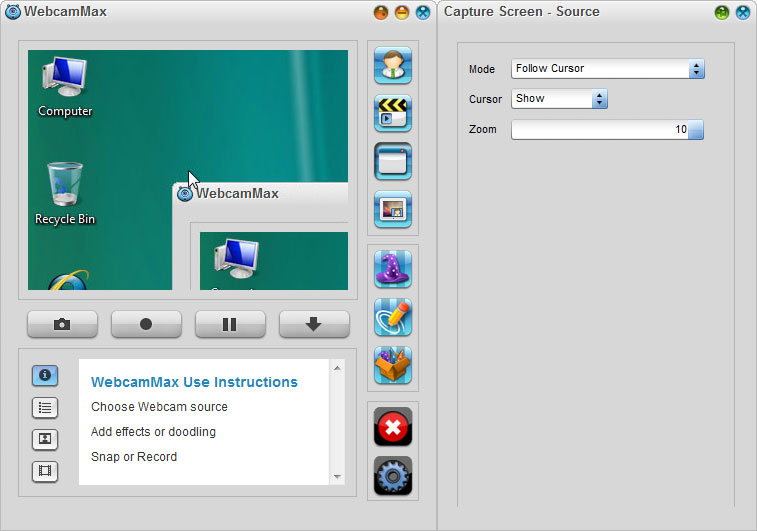
WebcamMax Add thousands of fantastic effects to webcam video for your live chats and recording


WebCamMax - advanced utility to work with a webcam. The program, which adds amazing video effects to all webcams, even without a real camera. The program can be used by default in applications such as ICQ, AIM, MSN, Camfrog, Skype, Paltalk, Yahoo, ANYwebcam, Stickam. You can configure WebcamMax Full so that she would begin to operate and maintain broadcast from the camera only when the lens will lock the movement.

Features

Thousands of Fantastic Effects
Thousands of cool effects for your live video chats and video recording. You can download limitless effects at webcammax.com.
Video Recording
Record your fantastic videos show with our cool effects to broadcast on YouTube or Facebook.
Virtual Webcam
Share your video clips or desktop screen with family and friends through your Instant Messengers even without a real webcam.
Easy to Share
Directly share your cool videos and photos with family or friends on Facebook. You can also upload and share your videos on Youtube.
Doodling and PinP
Paint on the video box freely and directly. You can also broadcast different sources at the same time with Picture in Picture feature.
Work for All
Work for almost all webcam programs such as Windows Live Messenger, Skype, Yahoo Messenger, ICQ, Paltalk, Camfrog, YouTube, Ustream, JustinTV, and much more.

http://www.apk-soft.net/2014/01/webcammax-effect-recording.html

http://www.apk-soft.net/2014/01/webcammax-effect-recording.html

http://www.apk-soft.net/2014/01/webcammax-effect-recording.html


Source
Read More

Download Advanced System Protector


This spyware remover looks good, offering security fundamentals but its efficacy is hard to judge on a clean or already-secure system. Advanced System Protector aims to rid your machine of spyware and malware, and it's generally a pretty thing to watch. The interface has a classy bar of tabs across the top, although the central pane feels a bit cluttered by deviating from the design scheme with a big, green Start Scan Now button.

Below that there are three choices for the type of scan: Quick, Deep, and Custom. The Quick scan took about 23 minutes, while the Custom scan lets you opt out of Cookies, Memory, Registry, and Files and Folders, or select specific folders and files to toss in the pot. Advanced System Protector is sensitive enough to pick up tracking cookies, although there didn't seem to be a method for fine-tuning that. The scheduler was surprisingly impressive, allowing for scans daily, once, and variations in-between. You can configure the program to run at startup, to update definition files automatically, and create a whitelist of files to never scan.
However, Advanced System Protector lacks an integrated antivirus component, which more and more solo malware battlers are now building in from the get-go. The real-time shields components are also kept behind a deadbolt unless you upgrade to the paid version. Overall, program runs well for what it can do and shouldn't be hard to use.

Sponsored
Antivirus of the Year. Free Trial!
Bitdefender Total Security
Download NowDownload Now
Read More

Thursday, January 9, 2014

Ultimate Windows Tweaker 3.0 for Windows 8


ltimate Windows Tweaker 3.0 for Windows 8 has been released and is now available for download. While Windows 7 & Windows Vista users should continue to use Ultimate Windows Tweaker 2.2, Windows 8 and Windows 8.1 may be happy to know that your favorite freeware Windows tweaker is now available for download. Use the Ultimate Windows Tweaker to customize your Windows 8 to meet your requirements. With judicious tweaking, it can make your system faster, more stable, personal and more secure with just a few mouse clicks.


Ultimate Windows Tweaker for Windows 8


Ultimate Windows Tweaker 3 (UWT) is a clean freeware – just what you expect from this site! It does not include any 3rd-party offers nor does it push crapware. It is completely portable and does not require to be installed. Once you have downloaded UWT3, simply extract the contents of the downloaded zip file and paste the folder in your Program Folder, without separating out its contents. Pin the shortcut of the exe file to your Start Screen, and you are all set to go.

Ultimate Windows Tweaker for Windows 8 is just 340 KB in size and includes over 170 tweaks. We have added several new tweaks for Windows 8.1, and removed some tweaks, which we felt were really not meaningful or suitable now for this new polished operating system. UWT 3.0 sports a clean minimalistic UI just like  UWT 2.2, offering links in the left panel, and tabs on the top, in some categories.

While you may be able to access all these via the Windows 8.1 UI or the Group Policy or Registry Editor, Ultimate Windows Tweaker makes things easier for you by offering all useful tweaks from its single UI. Hover over any tweak and helpful tool tips will tell you what the tweak does. All the tweaks have been neatly categorized as follows:

System Information

When you open UWT you will get to see some basic information about your system like Operating system version, Build, System Type, Processor, Installed RAM, Computer name, User name and the Windows Experience Index or the WEI Score even in Windows 8.1! You also have a button that let you quickly open Recovery Options if you need to restore your computer to some system restore point, and a button that lets you run the System File Checker with a click, so that you can check your system files and replace the corrupted or modified one’s with the default files.

Customization

Under this category you will be able to tweaks settings of your Taskbar, Thumbnails, File Explorer and the Modern or Metro UI. Some additional tweaks are also offered in a separate tab. Under the Modern UI tab, you will see some cool animation tweaks too.

User Accounts

Under the User Accounts tab, you will be able to change your User Account settings, Logon information and sign in options. You can also change the User Account Control settings here.

Performance tweaks

The Performance tab offers tweaks to optimize Windows 8.1 to best suit your requirements. While most of these settings are best left at their default values, this panel gives you quick access to change them, should you wish to. Just make sure that you know, what you are doing, and don’ t tweak for the sake of tweaking.

Security tweaks

Harden your Windows 8.1 by changing some settings. If you want to restrict access to some Control Panel applets or to some Windows feature, these tweaks will allow you to do so easily.

Internet Explorer tweaks

Tweak your Internet Explorer 10 or Internet Explorer 11 when you open this section. Tweak IE’s appearance and behavior. There are really nice tweaks here that will allow you to control the behavior of Internet Explorer.

Additional system tweaks

Under this category, you will see some additional system  and Network tweaks. You can also set UWT to behave the way you want it too. By default, when you apply a tweak and click Apply, UWT 3 will automatically restart explorer.exe to apply the tweak. Change its behavior if you wish.

Read More

Thursday, January 2, 2014

What to expect form CES 2014

What to expect form CES 2014
apk-soft.net

When one thinks of Las Vegas, mobile gadgets are far from the first thing that comes to their mind. They’re probably not even in the top five list. But as any devoted geek should know, for the past 15 years, Sin City has been the host for one of the world’s largest technology trade shows – the Consumer Electronics Show, or CES for short.


During the event, which is set to begin on January 7, 2014, both major and not-so-major electronics manufacturers will get together under one roof to showcase their latest products and innovations. And to no surprise, many new smartphones and tablets get announced each year at CES, which is why we’ve always followed the show with a great dose of interest.
Now, while CES is an event that gets a lot of attention from the media, prior to its launch, there’s usually very little information as to what exactly is going to be unveiled. However, there’s plenty of leaks for us to analyse and use to make our predictions. In fact, the rumor mill has presented enough information for us to compile a list of smartphones, tablets, and other smart products that we will likely see at CES 2014.

1. Samsung

apk-soft.net

While we aren’t really sure what Samsung is going to announce at its CES 2014 event, we think we know what’s not going to be announced. It is unlikely to see the company’s newest tablets(Note pro) as those are said to be coming in February, and there’s a near-zero chance of seeing the Samsung Galaxy S5 on stage. On the other hand, we might get to see a new Samsung Galaxy Camera model and a new Windows Phone 8 smartphone, if recent rumors are to be trusted. Also, we won’t be surprised if the company updates us on the state of its Exynos system-on-chip solutions.


2. LG


apk-soft.net

 
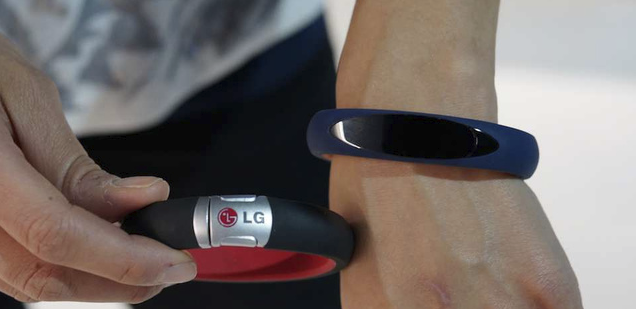
The rumor mill is building up hype around an “LG G3” smartphone, yet we aren’t expecting to see the G2′s successor at CES 2014. On the other hand, LG might announce the rumored LG G2 mini – a mid-range cousin of the LG G2. Another exciting device that LG is said to be working on is its very own smartwatch. Dubbed “G Arch“, it could be announced alongside a heath-tracking wristband referred to as “G Health“. What’s more, LG could be working on its own mobile SoC, and CES could be the right time for it to be introduced to the world.

3. Sony
apk-soft.net

With all those Sony smartphones leaking from here and there, it goes without saying that CES could see the announcement of at least some of them. These may include a 6-inch phablet with an octa-core SoC and the entry-level Sony Xperia E2. But the star of the show should be the Sony Xperia Z1s, or whatever it ends up being called. This is said to be a smaller, yet no less capable variant of the Xperia Z1. Last but not least, Sony’s third smartwatch could be announced as well.

4. NVIDIA

apk-soft.net

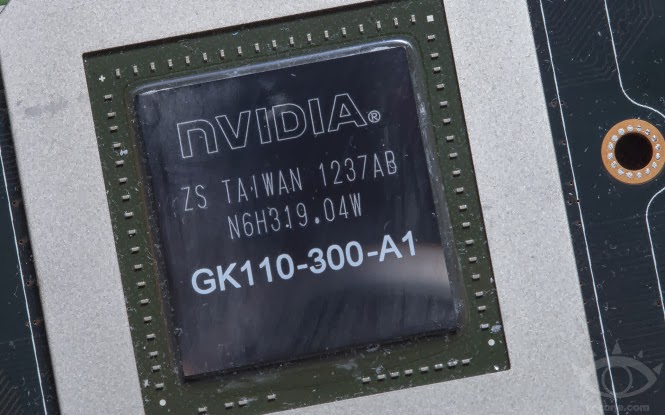
Yup, NVIDIA has its own CES 2014 event as well. This leads us to believe that a next-gen Tegra SoC could be in the works, and we might get to learn more about it at the show. If a Tegra 5 is indeed bound to be announced at CES, then NVIDIA could also introduce us to some of the upcoming devices the chip would be powering – a new Tegra Note tablet, or why not a successor to the NVIDIA Shield console? That is more of a guess, however, so don’t get too excited ahead of time.

5. Asus
apk-soft.net

We know that Asus is developing a new tablet, on which Android and Windows can happily coexist, and CES could be when we’ll get to give it a try. And if that’s not cool enough, Asus could also announce a new Padforne model at its CES 2014 event. Dubbed Asus Padfone X, the Android 4.4-powered device will brag with its top-notch hardware specs.

6. Lenovo
apk-soft.net
The newest products in Lenovo’s portfolio are to be showcased at CES 2014 – we’re expected to see new smartphones, tablets, and everything in between. Chances are that both Android- and Windows-based hardware (Dual boot) will be presented by the company.

7. Acer

apk-soft.net

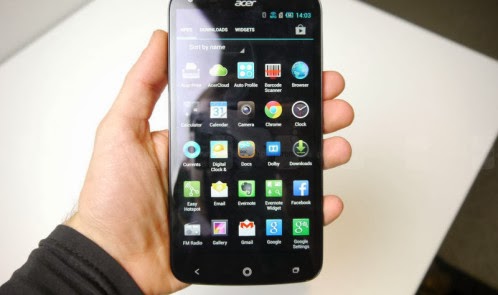
Acer is also going to be present at CES 2014. However, the company is not giving us any hints as to what products we should be expecting to see from it. New smartphones, new tablets, new laptops, or all of the above? We can only guess
Read More

Wednesday, January 1, 2014

Top Tablets The best tablets available to buy today

apk-soft.net

Top Tablets 2013-The best tablets available to buy today

The tablet market is still growing fast and it’s being driven by Android. According to IDC shipments were up 36.7% last quarter compared to the same period last year. We are starting to see a much wider range of Android tablets, and the overall experience for Android tablet owners is improving fast, thanks to developments like the Play Store highlighting tablet optimized apps.

We can divided the tablet line up neatly into two sections: big and small.

Best small Android tablet

We’ll start with the small tablets, ideal for people seeking a portable solution when they’re out and about.

1. XOLO Play Tegra Note Tab


apk-soft.net 

In the Tegra Note Tab’s case it is the Nvidia Tegra 4 chipset that includes a quad-core processor clocked at 1.8GHz and a GeForce GPU. The hardware promises excellent performance and it does deliver on that promise. But I’ll get to that in a bit. Other noteworthy hardware features include a 7-inch IPS display with a resolution of 1280×800 pixels, 1GB of RAM, 16GB internal storage (along with support for microSD cards up to 32GB), stereo speakers, a 5MP rear camera and a VGA front-facing one.

The Xolo Play Tegra Note Tab comes with Android 4.2.2 Jelly Bean and XOLO has promised that it will be prompt with OTA OS updates.Perfomance wise the XOLO Play Tegra Note score very good in front of other tablet in this price range.

Battery life is very good and the tablet lasted for ten hours in our continuous video playback test where we ran a 720p video with the brightness set to max and the Wi-Fi on. This would translate to about 15-20 hours of normal use which includes a little gaming, browsing and running apps. Since the Tegra Note is supposed to be a gaming tablet, it’s only appropriate (and quite impressive) that it will give you about 4 hours of continuous gaming on a single charge.

Price : 17999 INR (WiFi)

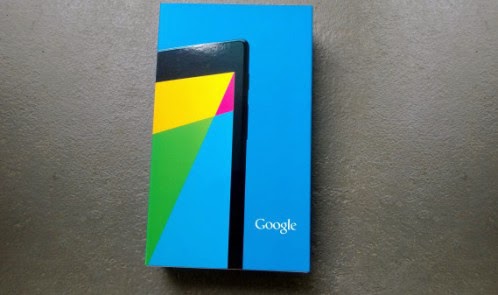
2. Nexus 7 (2013)


apk-soft.net 

When Google partnered with Asus to create the original Nexus 7 it was a smash hit. Consumers and critics alike loved the tablet, and it offered unbeatable value for money. It was perhaps inevitable that a sequel would follow and sure enough we got one in the summer. Google stuck with Asus to produce another understated, but solid design that’s slimmer and lighter than its predecessor, with several important improvements.

The first thing that strikes you about the Nexus 7 is that stunning 1920 x 1200 pixel display. With 323 pixels per inch, books and movies look fantastic on it. Throw genuine stereo speakers into the mix and it’s the ideal portable package for content consumption. Inside, the 1.5 GHz quad-core Snapdragon S4 Pro processor, with 2GB of RAM, proves itself capable of running the latest games. Stock Android is super slick, Jelly Bean brought another raft of subtle improvements, and the Nexus 7 was quick to get KitKat, as it will be to get future updates.

Google had to increase the price slightly, to 21000 INR for the 16GB version, but this is still the best value small tablet on the market.

Price : 21,000 INR

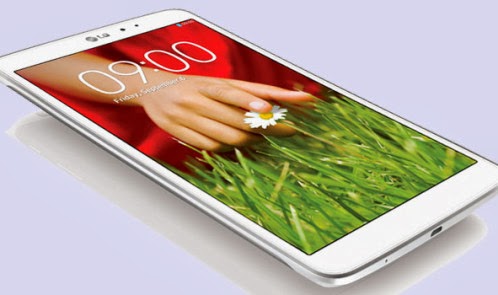
3. LG G Pad 8.3


apk-soft.net 

LG decided that 7 inches wasn’t enough and so its best small Android tablet offering is the G Pad, which has an 8.3-inch display with a resolution of 1920 x 1200 pixels. That’s the same resolution as the Nexus 7, but because the screen is bigger the ppi is 273. The specs are very good with a 1.7GHz quad-core processor, 2GB of RAM, and 16GB of internal storage backed up by a microSD card slot.

The G Pad has a pretty premium feel and you’ll find LG’s suite of features, from QSlide apps to Slide Aside, are actually quite useful, even if the interface doesn’t look great. The downside here is the much higher price tag (30000 INR) and the average battery life. Even with a 4600mAh battery, this tablet will need charged every night, and it dies fast if you watch movies or play games.

We think this is an underrated option and if you want something a little bigger than 7 inches it’s a good choice.

Price : 30,000 INR
The Bottomline
The XOLO Play Tegra Note tablet is available from today for Rs. 17,999, which frankly is a killer price for a tablet that does so many things well. At this price, the only real competition the Tegra Note gets is from the Nexus 7 (2013) that’s now being sold in India directly by Google for Rs. 20,999 (16GB). If the display and overall design and feel is paramount, then we’d recommend the new Nexus 7. However, where the XOLO tab scores is its performance, some neat additional features (such as the stylus and the Tegra Zone access) and the ability to accept microSD cards. Which of the two sound more attractive is a decision I will leave to you. Just know that buying either of the two will be a great decision.
Best big Android tablet


If you want to kick back on the couch, or surf the web in bed, then you want a nice big tablet to do it on. These are our top picks in the 10-inch space for 2013.

1. Apple iPad Air


apk-soft.net 

The iPad Air is sort of the iPad 5. And this latest tablet walks all over the iPad 4 – it’s lighter and thinner, but retains the same 9.7-inch screen panel. It’s also faster than before, to the point it’s future-proof for the time being and won’t feel out of date in six months.

For die-hard Apple fans we can see how you would be disappointed in terms of wow factor, as there is no standout feature here – the Air feels like an iPad mini Retina upscaled. And it lacks the Slow-Mo movie and Touch ID fingerprint scanner of the iPhone 5S.

That’s not to say the iPad Air is lacking. It’s not. It is seamless experience that just works. If anything the Air is a problem for Apple – and this is a good thing for us all – because by creating something so desirable, fast and functional, we suspect you won’t need or want to upgrade for a long, long time. Even iPad 4 owners will likely want one, especially if you’re fed up of resting the weightier, larger slab on your leg all the time.

Apple has created a tablet experience that surpasses all others. It’s the best tablet on the market in terms of performance, apps, and desirability.checkout our full review. What more can we say than that?…..

Price : (starting @) 35,900 INR

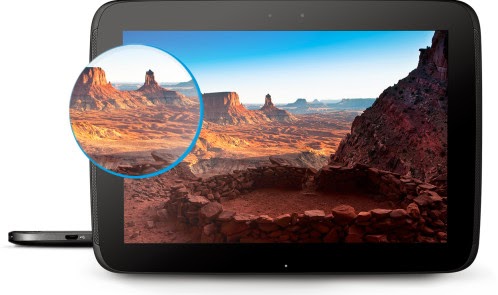
2. Nexus 10

apk-soft.net
It really says something about the larger tablet category on Android that a device released in 2012 is still the best big Android tablet in 2013. The Samsung manufactured Nexus 10 wowed everyone with its 2560 x 1600 pixel resolution, providing an amazing 300ppi on a 10-inch display. Google understands that people primarily want tablets for content consumption and so, despite fighting to keep costs down, it never scrimps on the display.

The rest of the hardware is aging. We all expected an update before the end of the year, but it looks like the Nexus 10 refresh won’t land until 2014. As a stock Android device the Nexus 10 has already got the KitKat update and that 1.7 GHz dual-core A15 processor still performs really well. It’s also backed by 2GB of RAM, so it can handle multitasking. The lack of a microSD card slot is a downside, but the Nexus 10 is almost as good value as its smaller brother.

At  this tablet is still a pretty attractive proposition, but with a refresh around the corner, patience is a virtue.

Price : 32,900 INR

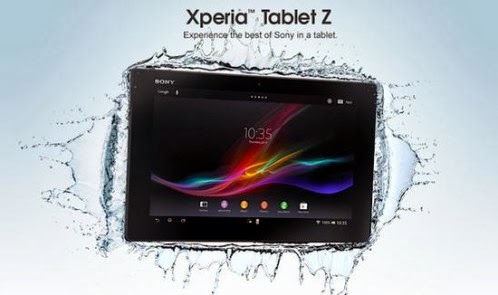
3. Sony Xperia Tablet Z

apk-soft.net 

If Sony had done a refresh, like it did with the Z1 then this tablet could have claimed the top spot, but there are a couple of weaknesses that we can’t overlook. The 1.5GHz Snapdragon S4 Pro is dated, even if it is backed by the Adreno 320 GPU and 2GB of RAM. The display is also 1920 x 1200 pixels with a 224 ppi. It still looks great, and Sony’s Bravia technology is not to be sniffed at, but it’s not at the same level as the Nexus 10.

In terms of build quality the Xperia Tablet Z is a real winner. It looks and feels beautiful, it’s impossibly svelte, and you can take it into the shower or bath with you, so you never need to be parted. Seriously, the waterproof feature is more than just a gimmick and it’s awesome to be able to watch a movie in the bath without fear. The battery life is also excellent and there’s a microSD card slot for expanding that storage.

Sony also has a nice UI and some decent apps, and the tablet works well as a universal remote, thanks to an IR blaster.

Price : 42,900 INR.
Read More