Tuesday, December 24, 2013

Top 10 Windows 8 Features You Don’t Know

Windows 8 the latest version of  Microsoft’s Windows operating system has many new features. Some of these are minor improvements to existing features. Others are entirely new. Many sites have already posted list of new features. But most of them are only about new touch gestures or metro interface. Here is a list of top 10 features that are really useful:


1. Easy screenshots

Up till now to take screenshot you would press Prt-Sc and paste the result in Paint or any other image editor. Now you can take and save a screenshot simply by following key combination:

Win + Prt Sc

 The screenshots are saved automatically in  PNG format in Pictures folder and are also numbered.


2. Hidden start menu

Well it’s not actually a start menu. But a menu containing very useful options like Device Manager, Disk Management, Admin Command Prompt and many more. Hit the following keys to pop up this menu:

Win + X


3. Mount ISO files without any external software

Now there is no need for any external software to mount/view ISO files. Just double click the ISO file or right click and select ‘Mount’. A new virtual drive will appear in Computer.


4. Built in Anti-virus and  Anti-spyware

Now there is no need for external Anti-virus as it is built into Windows 8. The Windows defender  has now bee upgraded to a full fledged Anti-virus. It uses the same definitions as Microsoft Security Essentials. The detection rate is also very good. I recommend it over external Anti-virus. Moreover if you install any third party solution like Avira Or Avast then it will automatically turn off to prevent any conflict.


5. Reset and Refresh

When your mobile phone becomes slow or bloated you simply ‘Reset’ it to factory default setting . Now you can do the same in Windows 8. Hit Win + W and type ‘reset windows’. Select ‘Remove everything and rereinstall Windows’. Your PC  settings will be restored to default and your files and apps will be removed. If you want to keep you files and apps then there is also an option to ‘Refresh’.


6. Inbuilt PDF reader

There is a default Reader App that opens PDF and XPS files. Only drawback of this app is that it takes full screen.

7. Better file handling

This is a welcome features. Now you can pause and resume while copying/moving files. You can also view a neat speed vs time graph by clicking ‘More details’. Moreover several file operation are grouped in one window.


8. Synchronize your settings

If you use Microsoft Live Account then you can synchronize you personalization settings, passwords, app settings and other Windows settings with your online account. These settings can be synchronised across multiple PC’s.


9. Improved task manager

The task manager is overhauled and now presents a lot of information. Also it tells the impact of startup items.


10. Faster boot

This is a major improvement in Windows 8. The boot tie in Windows 8 is under 20 seconds( even less for SSD). This is thanks to  a clever optimization by Microsoft. Is is called Hybrid Boot. It is the best of both Shutdown and Hibernate. You must have noticed that the computer boots very fast after hibernation. This is because all the content of ram is saved to hibernate.sys and restored on boot. Now in case of Hybrid Boot when you shutdown the user applications are closed but the portion upto Kernel loading(device drivers, services, etc.) is hibernated. As a result the boot time decreases.
Read More

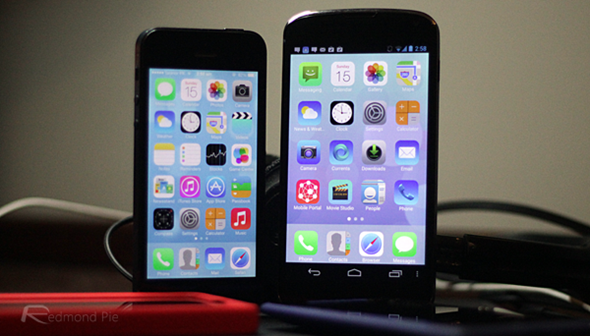
iOS7 Style Version on Android


apk-soft.net
apk-soft.net

Espier Launcher iOS7 is the iOS7-style version of the best and the most popular iOS-style home app (Espier Launcher) for Android devices. In this version, you can experience the perfect Android implementation of iOS7 font, icons, search page, wallpaper, and animations. Now, you can feel the simplicity of iOS7 on your Android devices!
MAIN FEATURES
==============
1. iOS7-style – It brings clarity to the entire experience:
* Perfect implementation of iOS7 home screen effects and functions.
* Prefect iOS7-style animations.
* Dynamic clock and calendar icons.
* Dynamic color of the titles and the indicators based on the shade of wallpaper.
2. A perfect combination of beautiful iOS7 style and the modern Android features:
* Flawless widget support; You can have multiple widget pages (up to eight). (You need to pay for an extra license).
* Complete shortcuts management.
3. Dozens switches or options, which help the launcher matches your Android device perfectly:
* Use widget pages or not.
* Show all widgets in one widget page or use multiple widget pages.
* Show widget pages along with icon pages or show the widget pages separately.
* Powerful customization of icon layout; You can customize the icon size, icon layout (columns and rows), the size of icon title, and the color of the title.
4. Unique multi-language support; Dozens languages supported, and more and more.
5. AppHub folder reminds you the update of your apps in time.
6. Other features or enhancements:
* Design icon by yourself; you can apply one design to a specific category of icons, not only one icon.
* Hide and/or lock icons (You need to pay for an extra license).
* Dozens of themes (more and more) available to change your icon style.
* Dozens of plugins (more and more) available to extend the functions; Badge icons if you use Espier Notifications plugin.
* You can get your favorite wallpapers and icons from Online Gallery easily.

IMPORTANT NOTES
================
1. The basic functions of this app are FREE and this app does not contain any third-party ads. However,
* In order to remove AppHub floder, you need to pay 1,000 Espier Coins to get an extra license.
* In order to change the default search engine, you need to pay 600 Espier Coins to get an extra license.
* In order to show the Widget Page, you need to pay 900 Espier Coins to get an extra license.
* In order to save the pictures from Online Gallery, you need to subscribe this function (500 Espier Coins per 30-day).
2. Espier Coin is a virtual currency, and 1,000 Espier Coins are equal to USD5.00. However, if you keep visiting Espier Mobile Portal from Espier Launcher, you will gain some GIFT coins. If you file valid bugs in our bug management system (http://bugzilla.espier.org), or recommend Espier apps to your friends, you may gain some VOLUNTEER coins. As a result, you might be able to buy the licenses without any real payment! For more information about the Espier Coins, please refer to Espier.org/en/developers/blog/espier-micro-portal-peronal-center-released/

Size : 4.8M
Current Version : 1.2.4
Requires Android : 2.2 and up
Source google Play

Download

Read More

disable seen on facebook messages update 2013


More than ever, we live in a read receipt world. Your friends (and enemies) know when you've seen their message. But it doesn't have to be that way in Facebook. There are several extensions that can help you keep your frenemies in the dark. 


VIEWED MESSAGES
The Facebook Chat Pro also has the option to prevent your friends see you have viewed a message.
If you enable this option, when your friend sends you a message and you read, your friend will not know that you have already viewed the message.
TYPING STATUS
After enabling this option, your friends will not know when you are typing a message.


Receive notifications from Facebook Chat directly into your desktop, and get access to new features!

See message notifications on your computer even if you are with the browser minimized!
The notifications exhibit even the photos that your friends send you.

Click on the notification to open the conversation instantly. You can also disable the notifications for a specific time.

Also includes options to prevent your friends see you have viewed certain message or even your friends to see you are typing a new message.

Read More

Download Windows 8 All Language 2013


Compile the package languages ​​and all versions of Windows 8, 86 and 64-bit exclusively on the Global Positioning www.apk-soft.net

Processor: 1 gigahertz (GHz) or faster
RAM: 1 gigabyte (GB) (32-bit) or 2 GB (64-bit
Hard disk space: 16 GB (32-bit) or 20 GB (64-bit
Graphics card: Microsoft DirectX 9 graphics device or higher
To use touch, you need a tablet or monitor that supports multitouch
To snap apps, you need a screen resolution of at least 1366 x 768


Windows 8 is Insurance the codename for the upcoming new operating system of Microsoft Windows that follows Windows 7. It features a new Metro-style interface that was designed for touchscreen, mouse, keyboard, and pen input. It also adds support for the ARM processor architecture in addition to the previously supported x86 microprocessors from Intel and AMD. Its server counterpart is codenamed Windows Server 8. The Windows 8 is designed to be the first Windows client to support systems on a chip (SoC) architectures, including ARM, and since it will be pre-installed on a range of next generation devices, it will also feature Metro, a NUI + GUI interface on the surface combined with a new application platform under-the-hood designed to enable the creation of immersive experiences

Arabic
 X86

Bulgarian
 X86

Czech
 X86

Danish

German

Greek
 X86

English - United Kingdom

English - United States
 X86

Spanish
 X86

Estonian

Finnish
 X86

French

Hebrew

Croatian

Hungarian

Italian

Japanese

Korean

Lithuanian
 X86

Latvian

Norwegian
 X86

Dutch

Polish
 X86

Portuguese - Brazil

Portuguese - Portugal

Romanian

Russian
 X86

Slovak

Slovenian

Serbian - Latin

Swedish

Thai

Turkish
 X86

Ukrainian

Chinese - Simplified

Chinese - Traditional


Tuto Video
Read More

Timely Alarm Clock for Android Phone

apk-soft.net

apk-soft.net

apk-soft.net


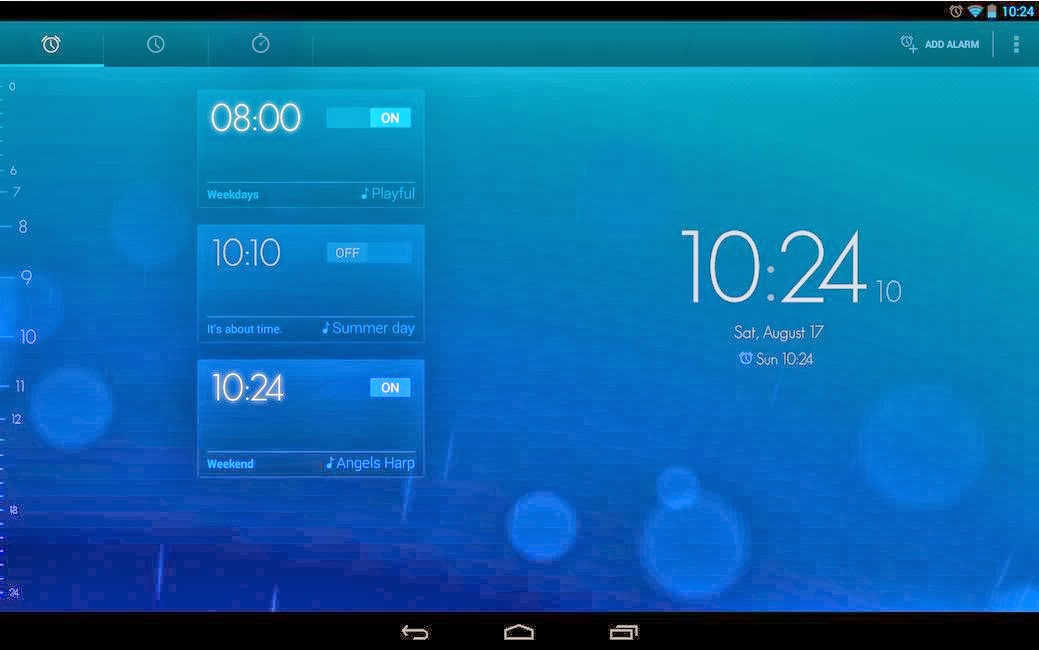
Timely is the beautiful Alarm Clock for Android, featuring a stunning user experience and revolutionary cloud integration to backup and synchronize your alarms with multiple devices.
Setting an alarm has never been easier: Just swipe from the edge of the screen and set the desired time by dragging a bar. Tap to make adjustments of 5 minutes.
Beautiful wake-up experience: Hand-crafted, high quality sounds and our innovative Smart Rise feature transform waking up in the morning into pure delight.
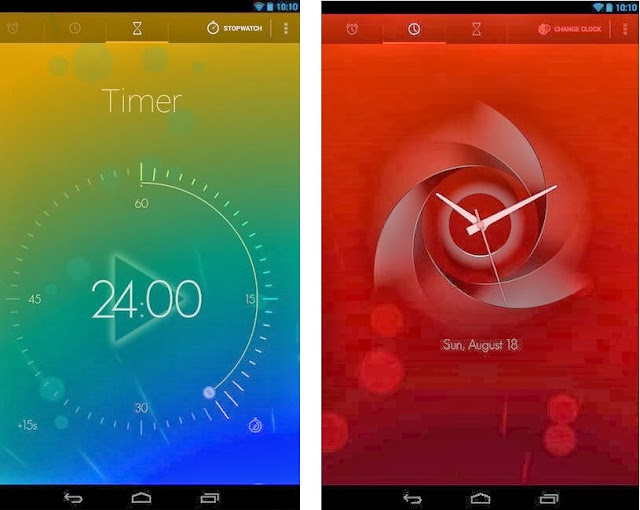
Your taste, your style: Choose from our gorgeous color themes to match your very own style. Or use our design-tool to create an all-new look. Select one of our hand-crafted designer clocks to fit your taste.
Never get up late again: Use challenges with your alarms to make sure you are really awake when dismissing an alarm. Think pressing buttons is not fancy enough? Turn your phone to snooze it. Additionally, Timely recognizes when you lift your phone and reduces the alarm intensity by lowering the volume.
Connecting your devices: Manage, dismiss and snooze alarms on all your devices at once. Cloud synchronization enables a seamless experience across phones and tablets. As a plus, everything gets backed up.
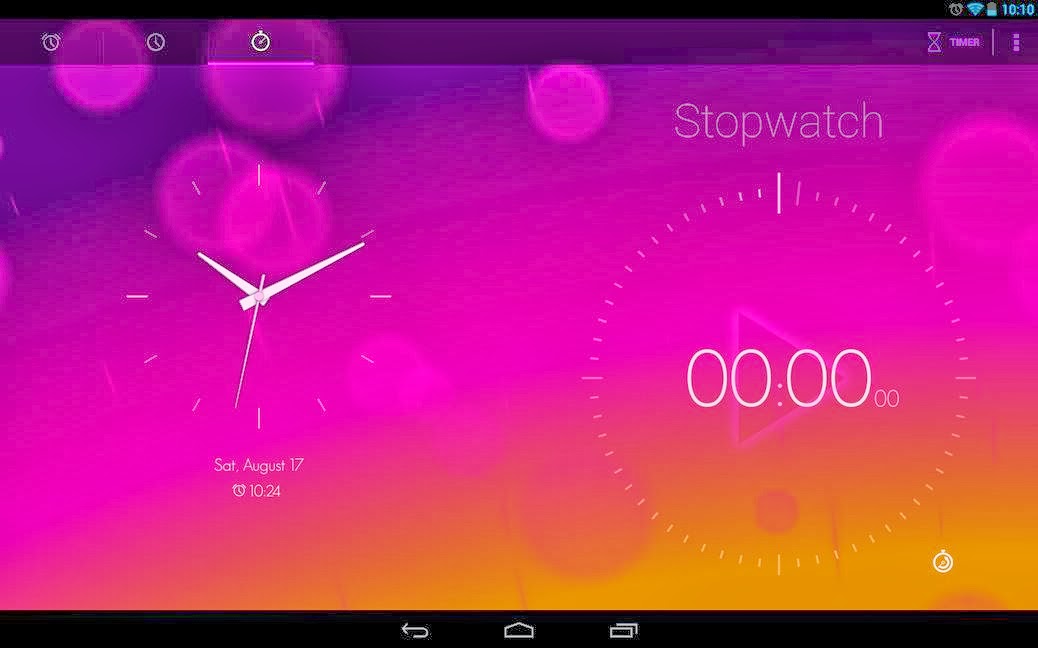
Ready, Set, Go: Use our stopwatch to measure time with style. And setting a countdown is as easy as winding up a kitchen timer.
Designed for tablets: No matter what kind of device you own, Timely just looks perfect.
More: Widget, Google Now integration, recurring alarms, awesome animations, adaptive snoozing, fade-in, DashClock extension, volume buttons to snooze.
Out of the box, Timely is a free app that shows ads after 5 days. If you choose to go pro (in app purchase), you will get all current and future premium content.

Size : 9.2M
Current Version : 1.2.2
Requires Android : 4.0.3 and up
source
Download
Read More

How to Set Utorrent to Shutdown your PC after Downloads are Finished


µTorrent is a lightweight and efficient BitTorrent client for Windows or Mac with many features.

Not only the automatic shutdown feature of utorrent will allow you to focus on your other important works , at the same time it will also help you to reduce your electricity bill . Here is how you can set Utorrent to shut down your computer automatically when your downloads complete .


To set the automatic shutdown , simply click on Utorrent’s settings and select Auto Shutdown > Shutdown when Downloads Complete .

Its as simple as that and now when all the downloads are completed , Utorrent will automatically shutdown your computer . Apart from that you can even choose from other options like reboot , hibernate and standby also .
if you dont have utorrent you can download it : Click here to download utorrent
Read More

optimizes your RAM usage With Memory Cleaner - Free Download


Memory Cleaner (aka MemClean) is a tool that optimizes your RAM usage by checking running processes and the system cache. It is the top ranking result on Google when you search for memory cleaners. It can't get better that that!


Tech-savvy folk are divided over how useful memory cleaning tools can be because Windows (Vista upwards at least) manage memory reasonably well. Most memory cleaning tools are not very useful because many of them use ill-advised techniques that are only relevant to older versions of Windows (pre-Vista).

MemoryCleaner is considerably better because it uses functions built into Windows to judiciously free memory - with no performance impact whatsoever. You can now access Memory Cleaner functions from the tray icon without having to open up the main window. The cleaning prodecures are both silent and the only alert you will see is the amount of RAM recovered briefly displayed in the window.

If you find your RAM usage exceeding 60% regularly, then MemoryCleaner is an absolute must have.

apk-soft.net


Feature List 

  • Trims processes' working set.
  • Clears system cache.
  • Monitors RAM usage and reports minimum, maximum and average (true average, not (min+max)/2).
  • Reports Pagefile and virtual memory usage.


Executable name................. MemClean.exe
Version............................... 1.80
Last Updated....................... 03 February 2013
File Size.............................. 506 KB

Windows............................. XP/Vista/7/8
Administrative account......... Required

Read More